
Services
Monthly bookkeeping run entirely in Xero — closed, reviewed and proven every period by the team that does the work.
Bookkeeping packages

Xero Accounts Payable
We run accounts payable inside Xero for startups, growing businesses and non-profits: bill capture, approval workflows, scheduled payment runs and supplier reconciliation. With one control most outsourced providers quietly skip, you keep the authority to release money.
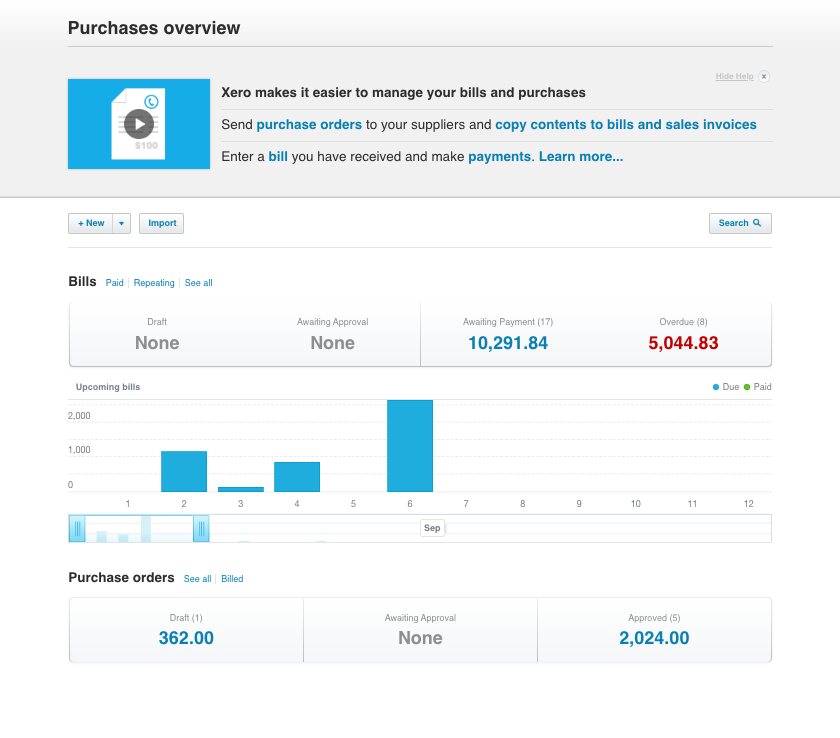
The problem
Most businesses don't discover their AP process is broken through a report. They discover it when a supplier calls about an invoice nobody logged, or a payment goes out twice, or the bank balance is lower than anyone expected on a Friday afternoon.
The underlying cause is almost always the same: bills arrive through too many channels, approval happens verbally or not at all, and payment is made by whoever happens to have the bank login. Xero can fix all three, but only if the workflow around it is actually designed. Here's what an undesigned AP process looks like from the inside.
Invoices arrive at three different email addresses, plus post, plus a photo someone texted. Nothing enters Xero until month end.
Someone asks the owner "can I pay this?" in a hallway or a chat thread. There's no record of who said yes, or when, or on what basis.
Bills get paid the day they're chased rather than on terms. Early payments drain cash; late ones cost goodwill and sometimes fees.
The same invoice arrives as a PDF and again on a statement. Without matching, it's entered twice, and occasionally paid twice.
Xero says one thing, the supplier's statement says another, and nobody has reconciled the difference in months.
The same individual enters the bill, approves it and releases the payment. That isn't a workflow. It's an unmonitored opportunity.
Occupational fraud in small organizations is overwhelmingly a payables story: fictitious suppliers, inflated invoices, altered bank details. It isn't usually sophisticated. It succeeds because one trusted person holds the whole cycle end to end, and nobody independent ever looks at the supplier list. Splitting that cycle across two parties costs almost nothing and closes most of the exposure, which is why we build it in as standard rather than selling it as an upgrade.
What we run
We don't just process what you forward to us. We take responsibility for the whole cycle: from the moment a bill exists to the moment the supplier's balance agrees with your ledger.
We consolidate every inbound channel into one route. Suppliers send invoices to a single dedicated address that feeds straight into Xero, so nothing depends on someone remembering to forward a PDF. Paper and photographed bills go through the same pipeline.
Each bill is then coded consistently: correct supplier, correct account, correct tracking category, correct date. Consistency here is what makes every downstream report trustworthy. If coding drifts month to month, your expense lines become uncomparable and your budget variance analysis is measuring noise.
Approval stops being a conversation and becomes a record. We configure rules that route each bill to the right approver based on amount, supplier, department or account, so a $200 software renewal doesn't need the founder, and a $40,000 contractor invoice can't skip them.
Approvers act from their phone or inbox. Every decision is timestamped and attached to the bill in Xero, which means that six months later, when someone asks why a payment was made, the answer is in the system rather than in somebody's memory.
We move you off reactive paying and onto a rhythm. Approved bills are grouped into scheduled payment runs: typically weekly, and prepared as a batch file with a clear summary of what's going out, to whom, and the cash impact.
You review and release. That sequencing is deliberate: it means you always see the total before money moves, and it means we never hold the ability to move funds on our own. It also gives you a real lever on working capital, because paying on terms rather than on demand is often the fastest cash improvement a business can make.
Every month we reconcile your Xero payables against supplier statements. This is the step most providers skip, and it's the one that catches the expensive problems: bills that never arrived, credits you were issued but never applied, duplicates sitting in the ledger, and disputes that have quietly aged past the point of easy resolution.
The output is an aged payables report you can actually rely on: because it has been tested against an external source rather than simply totalled from your own records.
The supplier list is where payables fraud starts, and it's almost never governed. We maintain it as controlled data: new suppliers are set up only from documented evidence, bank detail changes are verified through a channel independent of the request, and dormant suppliers are reviewed and archived.
We also run a periodic check for the patterns that signal something wrong: near-duplicate supplier names, suppliers whose bank details match an employee's, and round-number invoices from vendors with no contract behind them.
The control that matters
Segregation of duties means no single person controls a transaction from start to finish. In accounts payable it is the single highest-value control a small business can implement, and outsourcing is what finally makes it affordable, because you get a second independent party without hiring a second employee.
Here is exactly how we split the cycle. The pattern is consistent: we prepare, you approve, we record. We never hold payment release authority, and we never approve a bill we entered.
| Step in the cycle | Logiframe | You |
|---|---|---|
| Supplier setup | Prepares the record from your documented evidence | Approves the new supplier before first payment |
| Bank detail changes | Flags the request and verifies through an independent channel | Confirms the change |
| Bill entry and coding | Captures, codes and posts to Xero | Not involved |
| Bill approval | Routes to the correct approver by your rules | Approves within delegated limits |
| Payment run preparation | Builds the batch and the summary for review | Not involved |
| Payment release | No access: we cannot move funds | Releases from your own banking |
| Reconciliation | Reconciles bank, ledger and supplier statements | Not involved |
| Exception review | Reports duplicates, anomalies and aged items | Decides on disputes and write-offs |
Why this matters beyond fraud: the same structure is what makes a future audit, due diligence process or lender review straightforward. When every bill carries a documented approval and every payment traces to an authorized release, you can answer questions in an afternoon rather than reconstructing a year of decisions from memory.
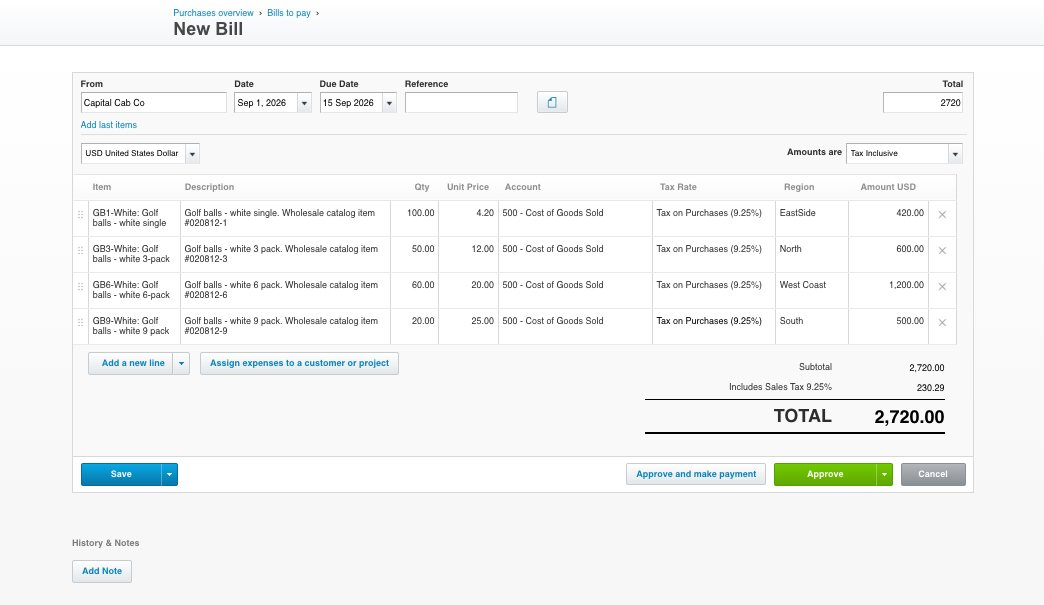
The stack
Xero handles bills and payables natively, and for many businesses that's enough. Where volume, approval complexity or payment method demands more, we add connected apps. We recommend based on what your process actually needs, and we configure and maintain whatever we recommend.
| Layer | Tools we commonly use | When you need it |
|---|---|---|
| Core ledger | Xero Bills to Pay | Always: every engagement runs on Xero as the source of truth |
| Document capture | Hubdoc, Dext | When bills arrive in volume or through mixed channels. Hubdoc is included with most Xero plans |
| Approval workflow | ApprovalMax | When you need multi-step approval, delegation limits or a formal audit trail beyond Xero's native permissions |
| Payment execution | BILL (formerly Bill.com): including Xero's embedded bill pay; bank batch files | When you're paying many suppliers, need scheduled runs, or want payment and approval history in one place |
| Spend and cards | Xero Expenses and connected card platforms | When employee expenses and card spend need the same coding discipline as supplier bills |
BILL: the platform most people still call Bill.com, occupies a particular position in the US Xero ecosystem. Xero and BILL announced a formal partnership, and Xero subsequently launched online bill payments for its US customers powered by BILL, embedded directly in the Xero Bills screen. That means paying a supplier no longer requires leaving Xero, and the payment records back automatically.
There are effectively two paths, and they suit different businesses:
Both are legitimate, and the choice depends on your volume and how much of the workflow you want living outside Xero. We'll walk you through the trade-off honestly, including the sync limitations, before you commit to either.
We don't resell software. App subscriptions are billed to you directly by the vendor at their own rates. Our recommendations are based on fit, not margin, and if Xero alone covers what you need, we'll tell you that.
In practice
Accounts payable works when it's boring and predictable. This is the cadence most of our clients settle into within the first two months.
Bills arriving through the capture address are read, coded and posted to Xero, then routed for approval. Nothing sits in an inbox.
Approved bills are batched. You receive a payment summary with totals and cash impact, review it, and release from your bank.
Supplier statements are reconciled, credits applied, and an aged payables report issued with commentary on anything unusual.
Supplier master data, approval thresholds and delegation limits are reviewed against how the business has actually changed.
Before the rhythm starts, we get your payables into a known state. That means a full review of what's currently sitting in Xero, reconciliation of open supplier balances, clean-up of duplicate and dormant supplier records, and agreement on your approval thresholds and delegation limits. If your payables are behind, this is also where catch-up work happens.
Most businesses are running the standard cadence by week three. Businesses with a significant backlog or multiple entities take longer, and we'll tell you that before you sign rather than after.
Scope
Being clear about what we don't do is part of doing the rest properly. These aren't gaps we're working on: they're deliberate boundaries.
We prepare payment runs; you release them. We hold no funds-transfer authority on your accounts, ever. This isn't a limitation on the service. It's the control that makes the service safe to buy.
We route bills to your approvers and enforce the thresholds you set. We don't make the commercial decision about whether something should be bought, and we won't approve a bill we entered.
Logiframe US does not prepare or file tax returns and does not run payroll. We code bills accurately so your CPA has clean, well-documented records to work from, and we'll work directly alongside them, but tax positions, filings and advice sit with your tax professional.
We're an accounting and bookkeeping firm. If you need an audit, a review, an attestation or a signed opinion, that requires an independent licensed firm, and our involvement in your AP process is precisely why it can't be us.
AP management is purchased alongside a Xero bookkeeping package rather than on its own. That's a deliberate constraint: managing payables well requires us to also own the ledger, the bank reconciliation and the month-end close. Running AP against books someone else maintains means we'd be accountable for a number we can't control, so we don't offer it that way.
Pricing is scoped on bill volume, supplier count, entity count and approval complexity. See our bookkeeping packages for the base service AP attaches to.
Questions
An outsourced AP service takes over the operational cycle of paying suppliers: collecting and coding bills, routing them for approval, preparing payment runs, reconciling supplier statements, and maintaining the supplier master file. The client retains the decisions, what to buy, whether to approve, and when to release funds. In a well-designed arrangement the provider never holds payment authority, which creates segregation of duties that a small in-house team usually can't achieve on its own.
Xero's native Bills to Pay handles bill entry, scheduling, batch payments and basic user permissions, which is sufficient for many small businesses. You typically need connected apps in three situations: when bill volume makes manual entry impractical (add Hubdoc or Dext for capture), when you need multi-step approval or delegation limits that Xero's permissions don't express (add ApprovalMax), or when you're executing large numbers of supplier payments and want that history alongside approvals (add Bill.com). Adding apps you don't need creates cost and complexity without control benefit.
Xero's embedded bill pay for US customers is powered by BILL and runs inside the Xero Bills screen, so there's no separate subscription and no context switching. It suits businesses with straightforward supplier payments and moderate volume. A standalone BILL subscription makes sense when you need its own multi-step approval workflows, document storage, international payment rails or the vendor network: capabilities that justify running a second system alongside Xero.
Before you choose: the embedded integration has real limitations that users report consistently, documents stored in BILL don't sync back into Xero, there's no true bank feed matching for those payments, and closing an accounting period can disrupt the sync. None of these are dealbreakers, but they change how the workflow has to be designed, and it's better to know going in.
This is exactly the situation outsourcing solves. Segregation of duties requires that the person who records a transaction is not the person who authorizes it or the person who has custody of the assets. With two or three employees that's often impossible internally. When an external provider handles entry, coding and reconciliation while you retain approval and payment release, the separation exists across two organizations rather than two employees, and it costs far less than the additional headcount would.
Where bank feeds are used, our access is read-only; some clients prefer to send statements and records directly instead. Either way we hold no funds-transfer authority and cannot move money from your accounts. Payment runs are prepared by us and released by you from your own banking platform. This is a fixed policy rather than a configurable option.
Through four layers. First, a single capture channel so the same invoice doesn't enter through two routes. Second, duplicate detection at the point of posting, matching on supplier, amount, invoice number and date. Third, approval routing, so a second person sees each bill before it's scheduled. Fourth, monthly supplier statement reconciliation, which catches anything the first three missed by comparing your ledger against the supplier's own record.
We treat every bank detail change as unverified until confirmed through a channel independent of the request itself: meaning we don't call the number on the email asking for the change. The request is flagged to you, verified separately, and only then applied. Business email compromise attacks targeting supplier payment details are one of the most common ways small businesses lose significant money, and the attack only works when the change request is trusted at face value.
Yes. Catch-up work is scoped separately from ongoing management, because the effort depends on how far behind you are and how much source documentation still exists. We start with a review of the current state in Xero, reconstruct and reconcile open supplier balances, then move you onto the standard cadence. Being behind is common and isn't a reason to delay: the backlog rarely gets easier.
AP management is priced as an add-on to a Xero bookkeeping package, scoped on bill volume, active supplier count, number of entities and approval complexity. It isn't sold standalone, because managing payables properly requires ownership of the ledger and the reconciliation as well. We'll quote after a short review of your current volumes and process.
Yes. Non-profits are one of our core client types, and payables discipline matters more in that context than almost anywhere else: restricted fund coding has to be right at the point of bill entry, and boards and grantors expect documented approval on spend. We configure tracking categories in Xero so that fund and grant coding is captured when the bill is posted rather than reconstructed later.
Yes. Multi-entity payables need consistent coding across organizations, clear handling of intercompany bills, and reconciliation that ties out at group level rather than just per entity. That's long-standing work for us: our team has handled multi-entity and group structures throughout the firm's 13-year history. Approval thresholds are usually set per entity, since delegation limits that make sense for one company rarely fit another.
Related
A 30-minute review of your current AP process: how bills arrive, who approves them, where the control gaps are, and what it would take to close them.