Financial management in NetSuite, set up for your business by Logiframe.
Logiframe uses Oracle NetSuite to give businesses of all sizes a financial management system fitted to how they work, so decisions rest on current figures and cash flow is managed with a clear view of what is coming in and going out.
From the first transaction of the month to the closed period and the reports that explain it.
Accounting software
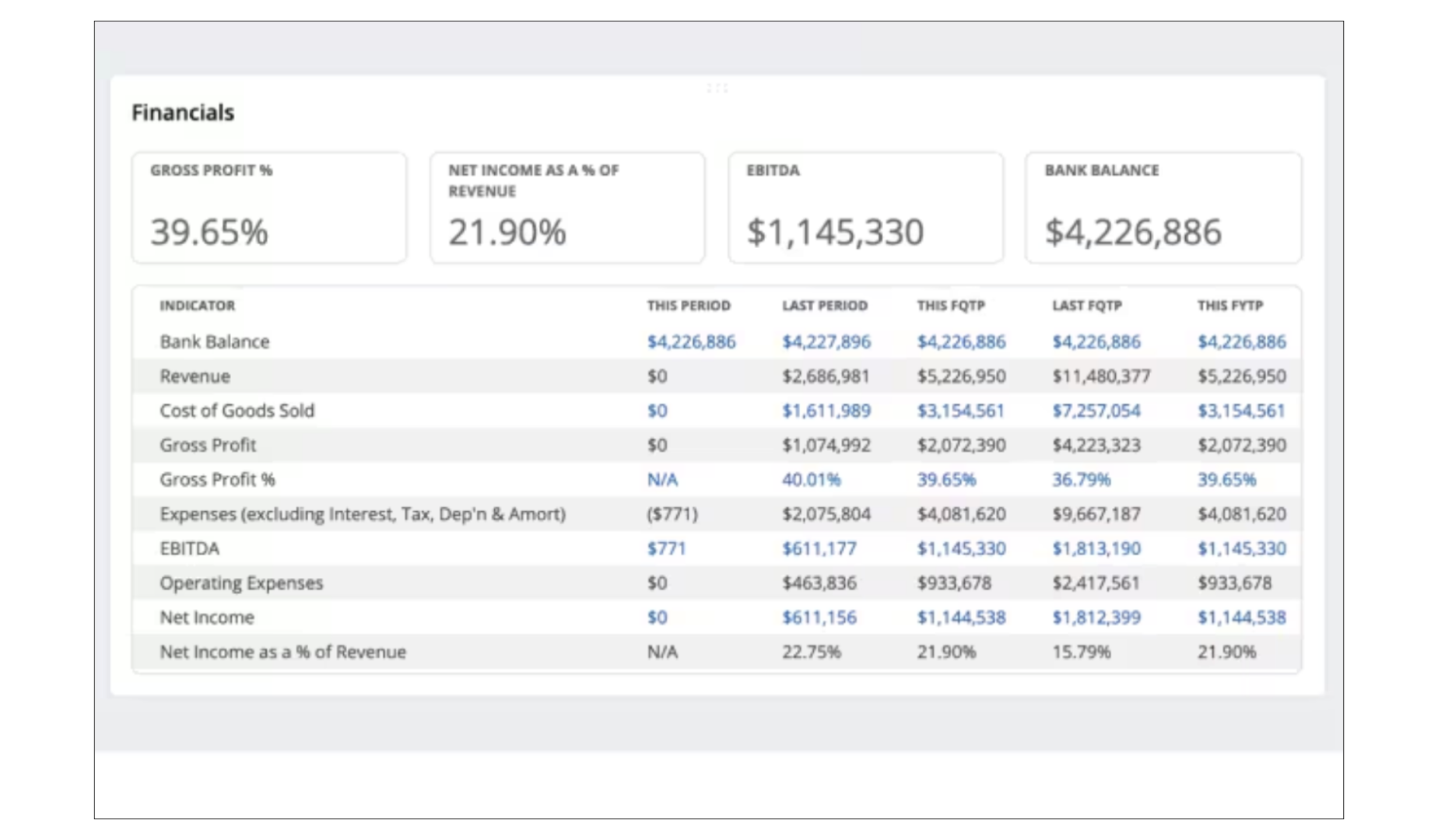
NetSuite records transactions, handles payables and receivables and closes the books in one cloud system, with AI-assisted automation for manual tasks. Finance teams can drill into the detail behind any figure and produce the statements and disclosures that regulatory reporting requires.
Screenshot: Oracle NetSuite software. Figures are illustrative.
General ledger
The general ledger gives accountants flexibility and visibility: better reporting, clear audit trails, and account types, transactions and reporting segments that can be tailored to the business.
Screenshot: Oracle NetSuite software. Figures are illustrative.
Chart of accounts
The general ledger has to fit the structure of your business. NetSuite's chart of accounts lets you shape how the ledger works with your own workflows, transaction types and additional fields.
Screenshot: Oracle NetSuite software. Figures are illustrative.
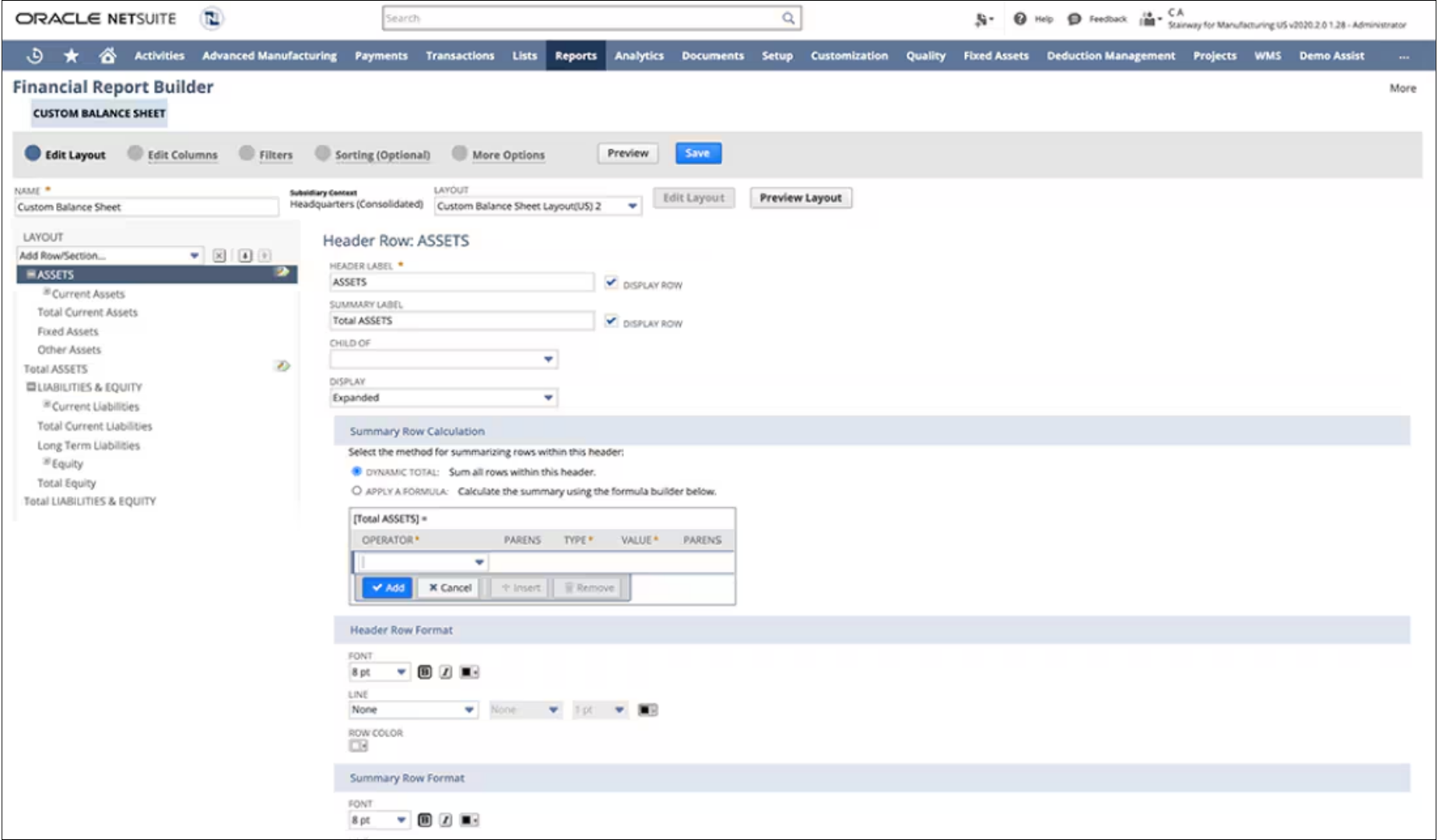
Financial report builder
NetSuite includes many standard reports that can be customised, including financial statements set up for country-specific requirements, with options to filter, group and sort the data.
Screenshot: Oracle NetSuite software. Figures are illustrative.
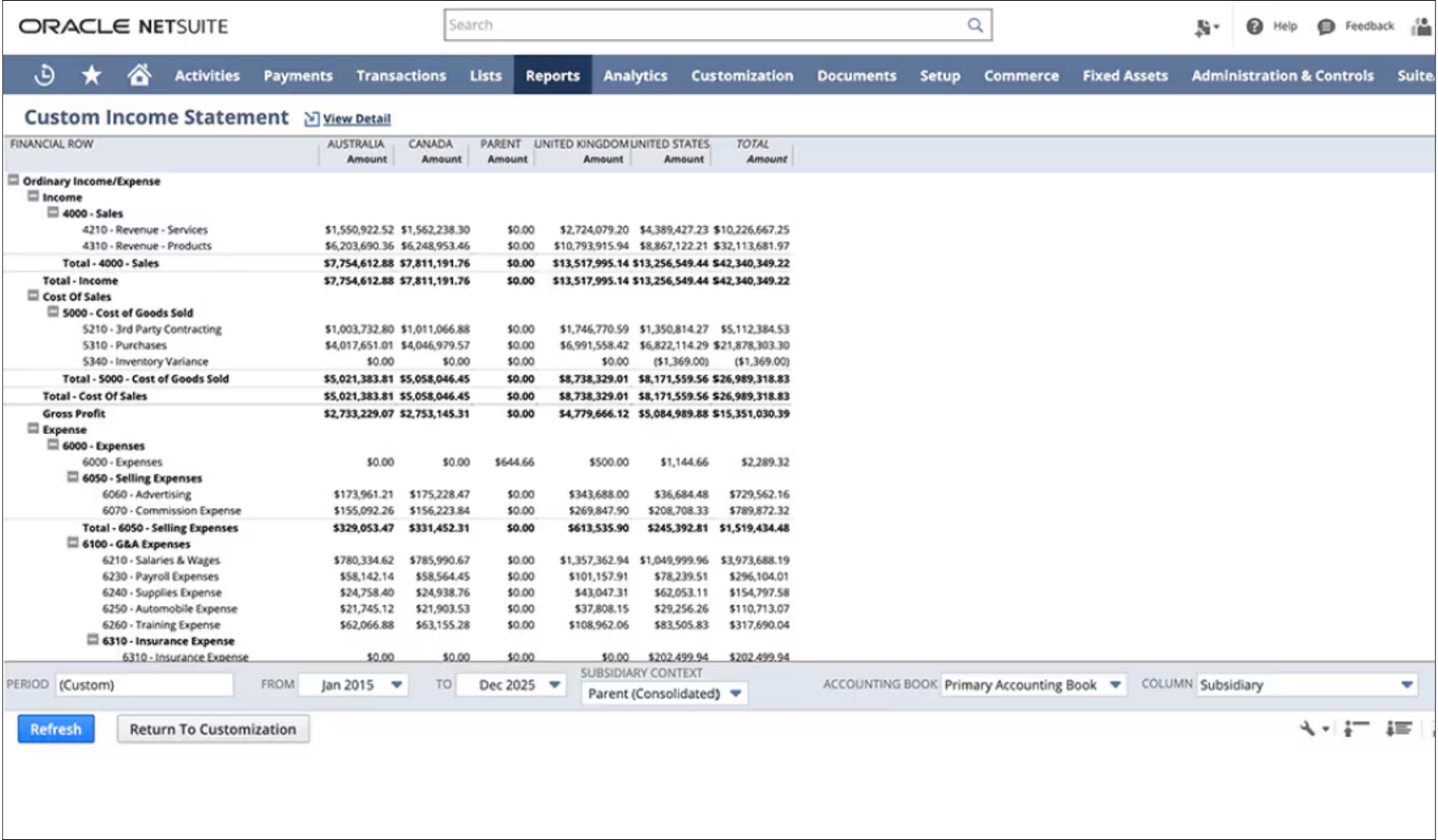
Custom financial reports
Reporting tools let finance teams build their own reports and analysis, for a complete view of the business.
Screenshot: Oracle NetSuite software. Figures are illustrative.
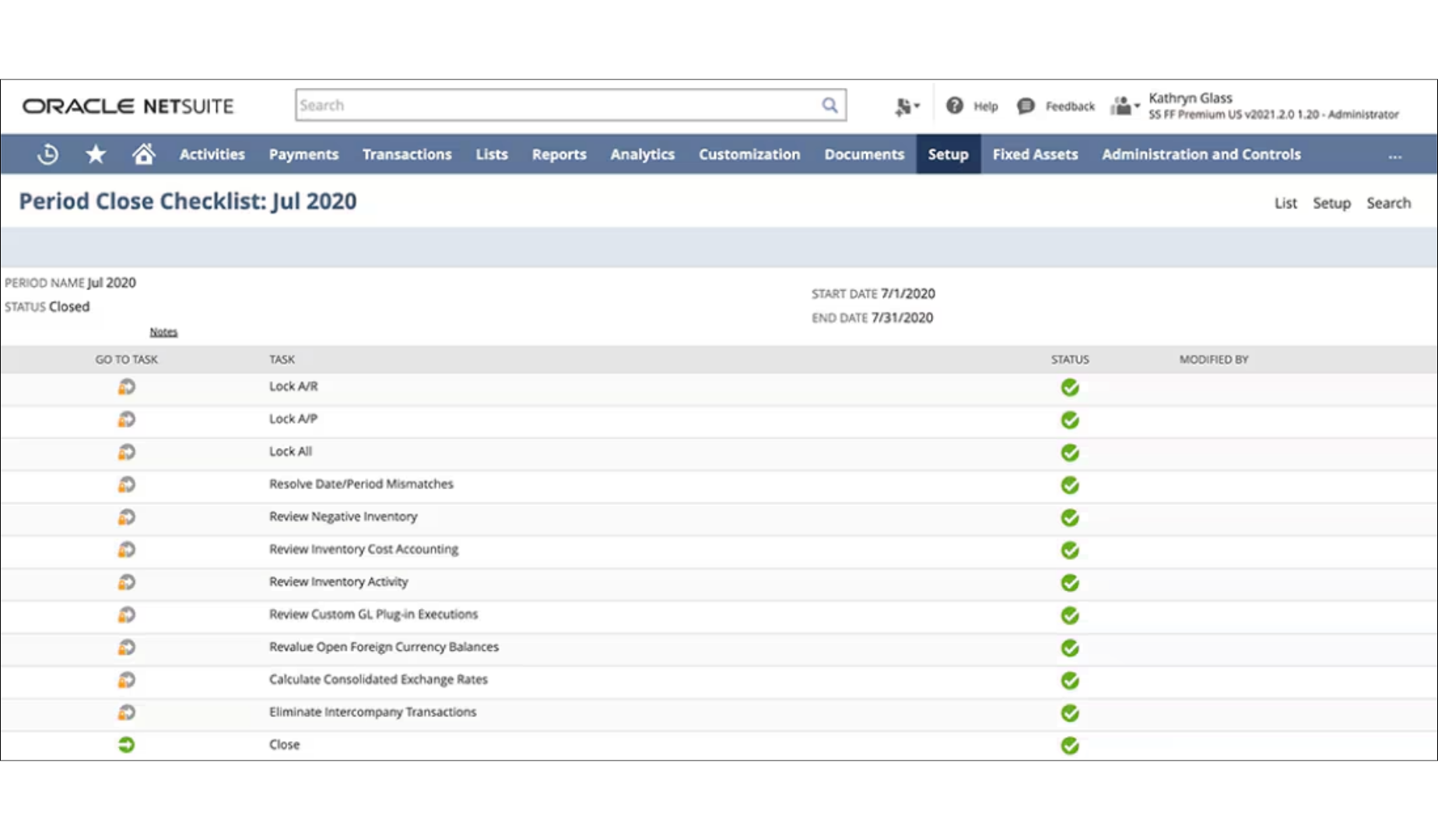
Close management
Period-end tasks are tracked in NetSuite so the team can see what is done and what is still open before a period is closed.
Screenshot: Oracle NetSuite software. Figures are illustrative.
Report snapshots
Snapshots give a short summary of a report with links to the underlying data. They work for prebuilt and custom reports and can be placed on dashboards for day-to-day monitoring.
Screenshot: Oracle NetSuite software. Figures are illustrative.
Order to cash
Order to Cash
Sales orders, invoicing, collections and reconciliation in one flow.
Sales order management
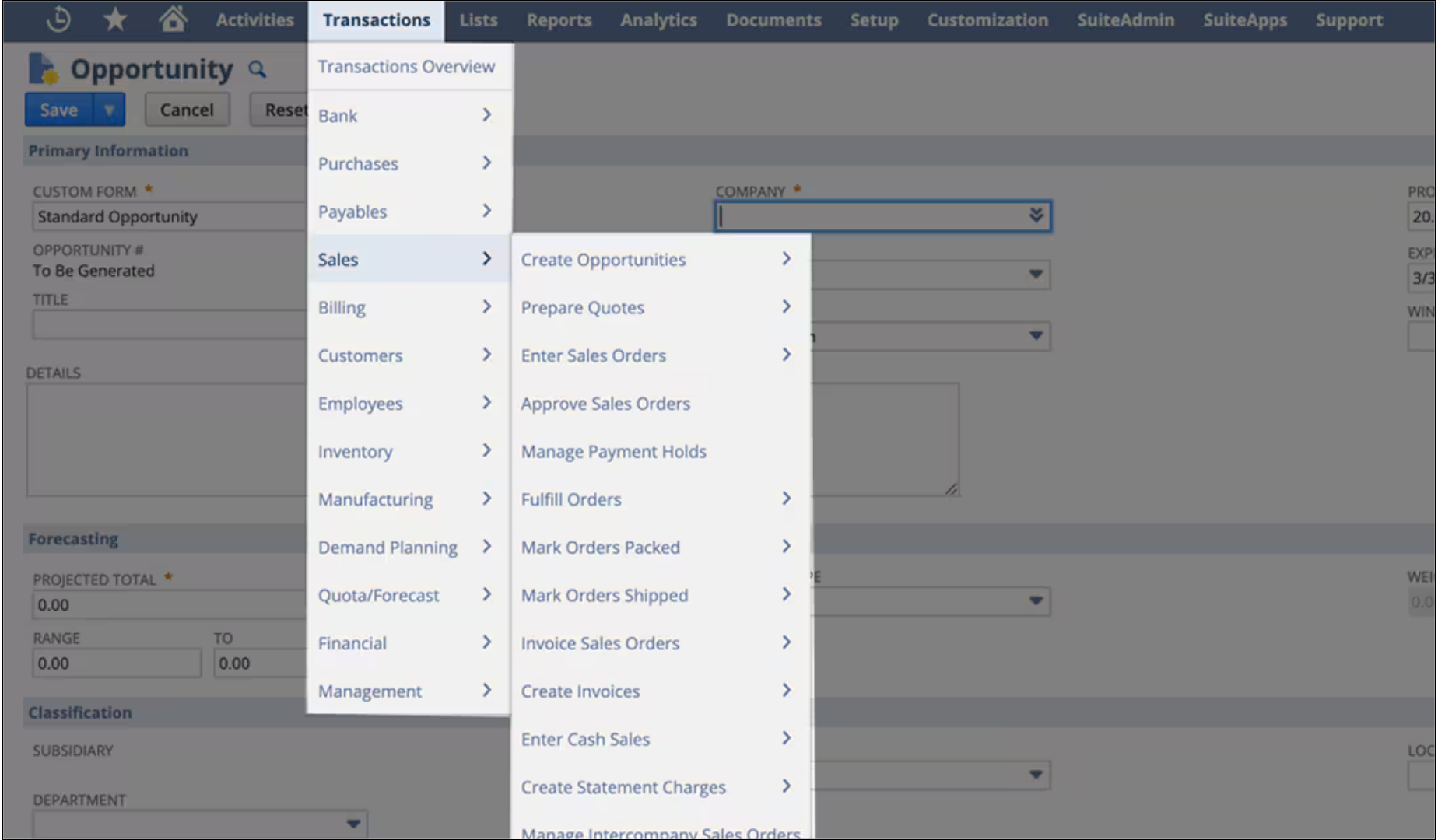
Sales order management automates receiving, approving and fulfilling orders, which supports accurate, timely invoicing and payment.
Screenshot: Oracle NetSuite software. Figures are illustrative.
Order automation
Sales, finance and operations work from the same records, which improves quote accuracy, removes billing errors, supports revenue recognition and makes fulfilment faster and more accurate.
Screenshot: Oracle NetSuite software. Figures are illustrative.
Multichannel orders
Customers can buy, collect and return through different channels, and NetSuite supports several fulfilment methods while keeping order processing in one place.
Screenshot: Oracle NetSuite software. Figures are illustrative.
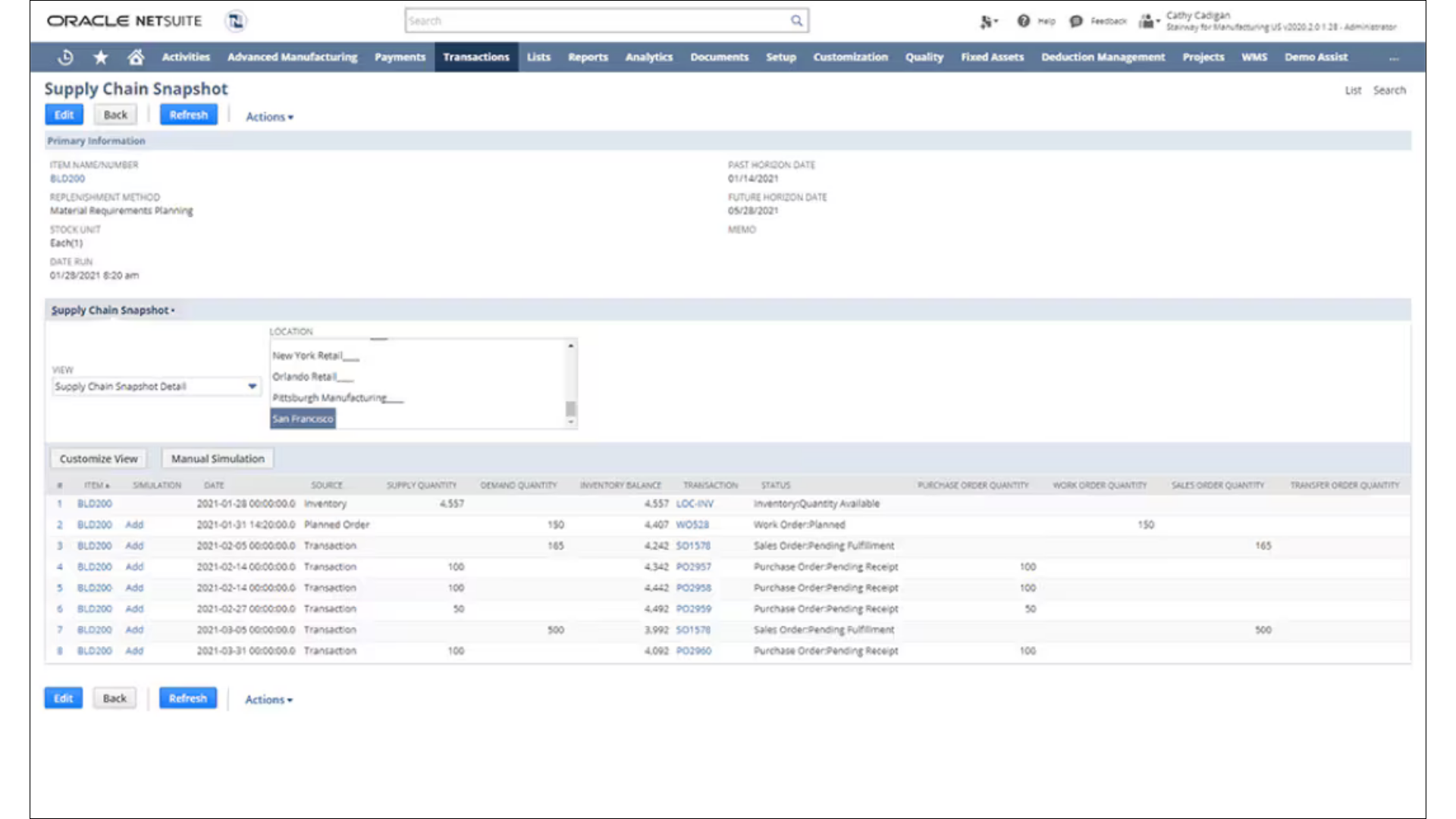
Advanced order setup
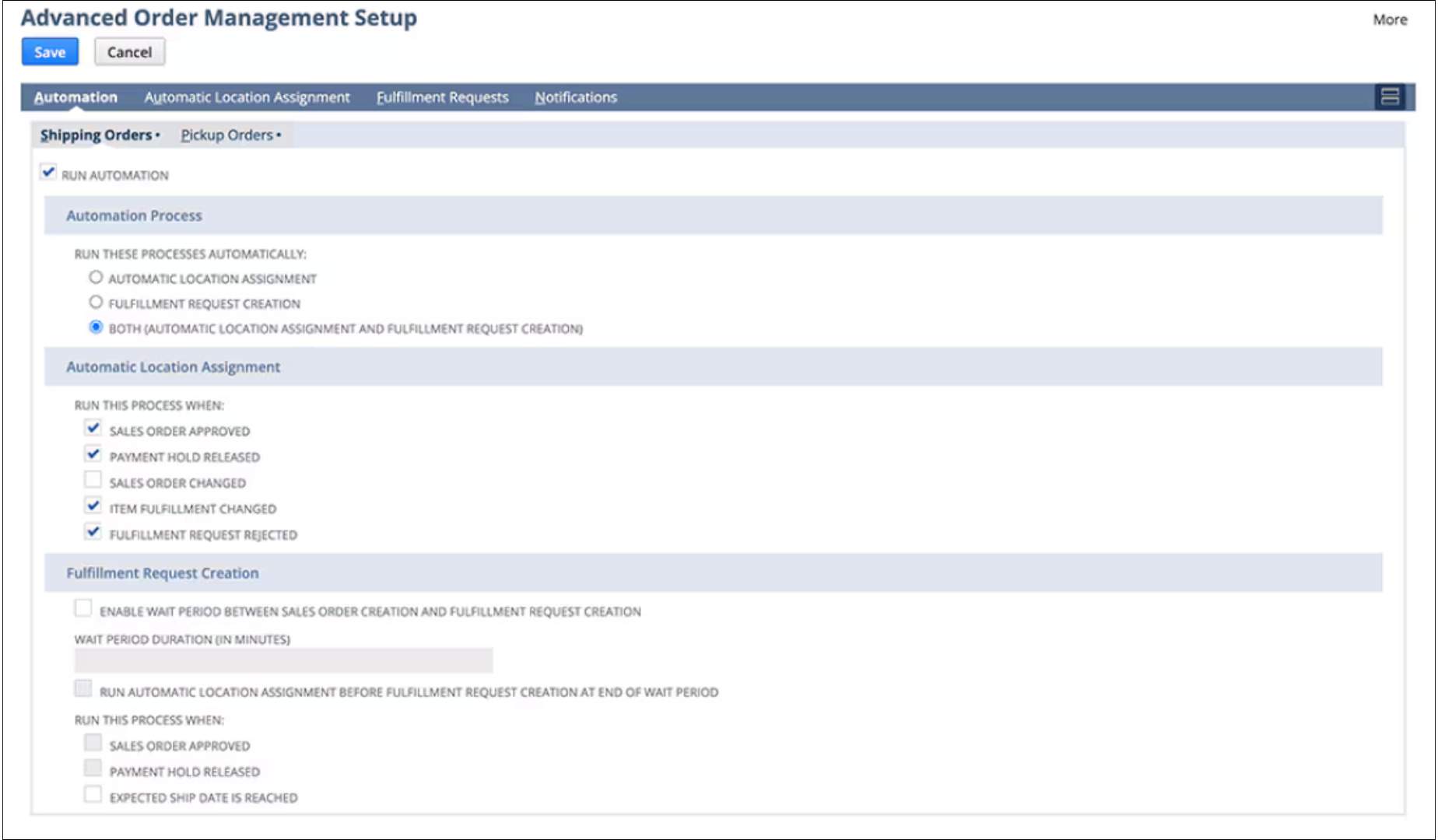
Orders can be routed to the most cost-effective or nearest location for fulfilment, reducing shipping costs and delivery time.
Screenshot: Oracle NetSuite software. Figures are illustrative.
Accounts receivable aging
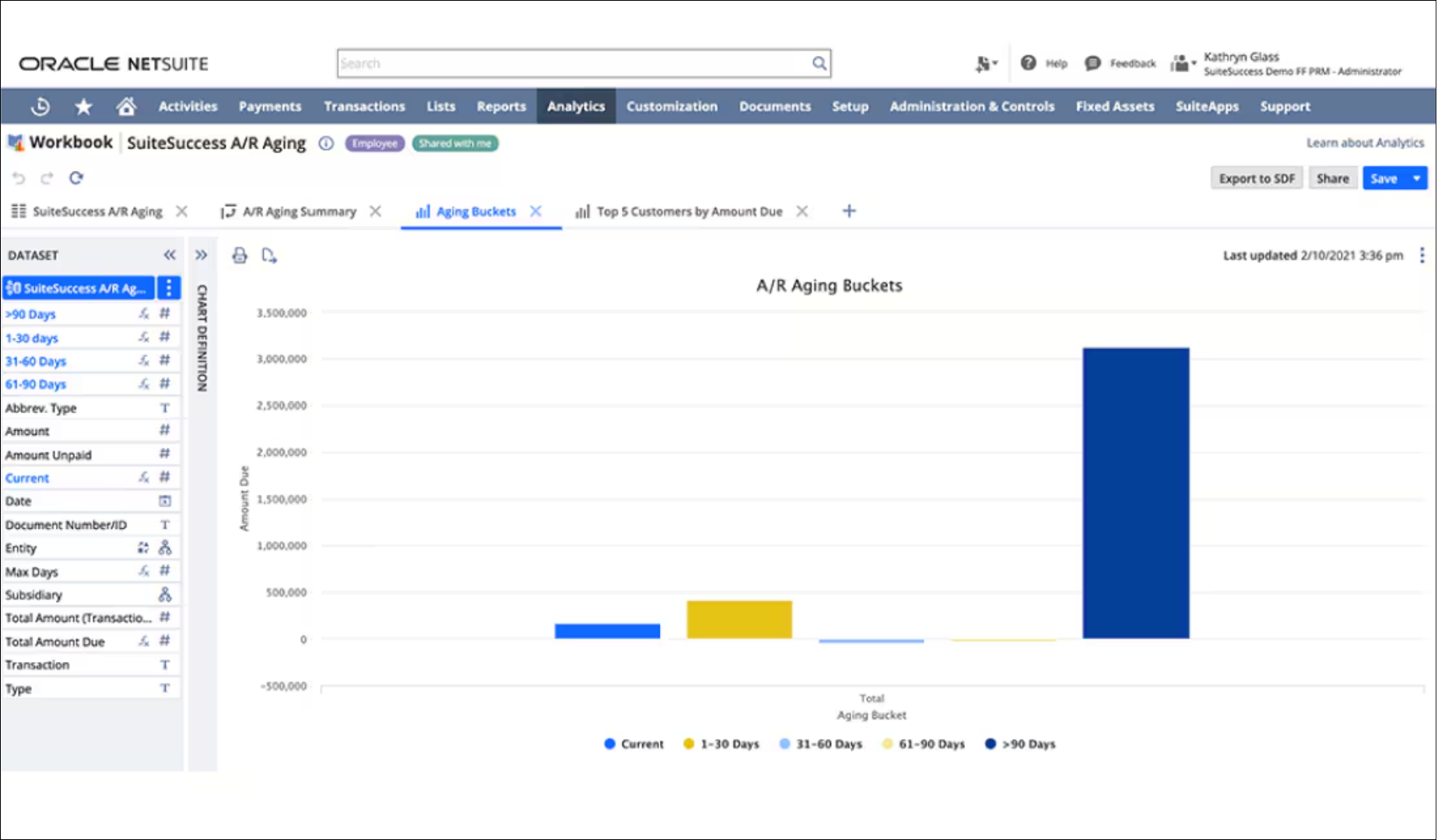
Configurable dashboards, reports and KPIs show customer aging, invoice analysis, recurring invoices and deferred and recognised revenue, with exception reports that flag unusual balances.
Screenshot: Oracle NetSuite software. Figures are illustrative.
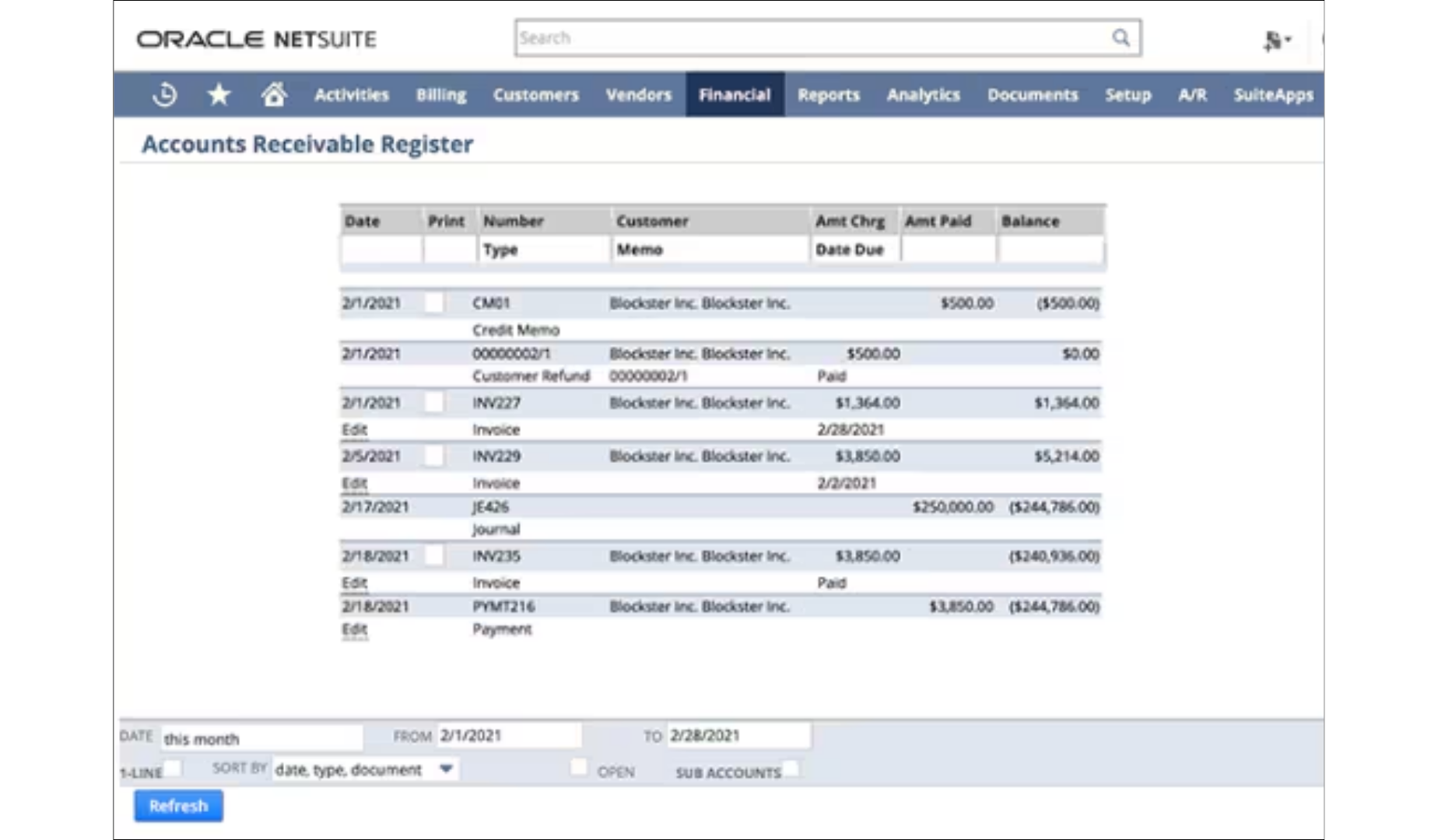
Accounts receivable register
Order transactions are recorded in both the general ledger and the receivables ledger, with tax calculated on every invoice. Finance teams can issue digital invoices and offer several payment options to speed up collection.
Screenshot: Oracle NetSuite software. Figures are illustrative.
Company-wide visibility
Inventory, financial and customer data in one system improves quote accuracy, prevents billing mistakes, supports revenue recognition and makes order fulfilment more accurate.
Screenshot: Oracle NetSuite software. Figures are illustrative.
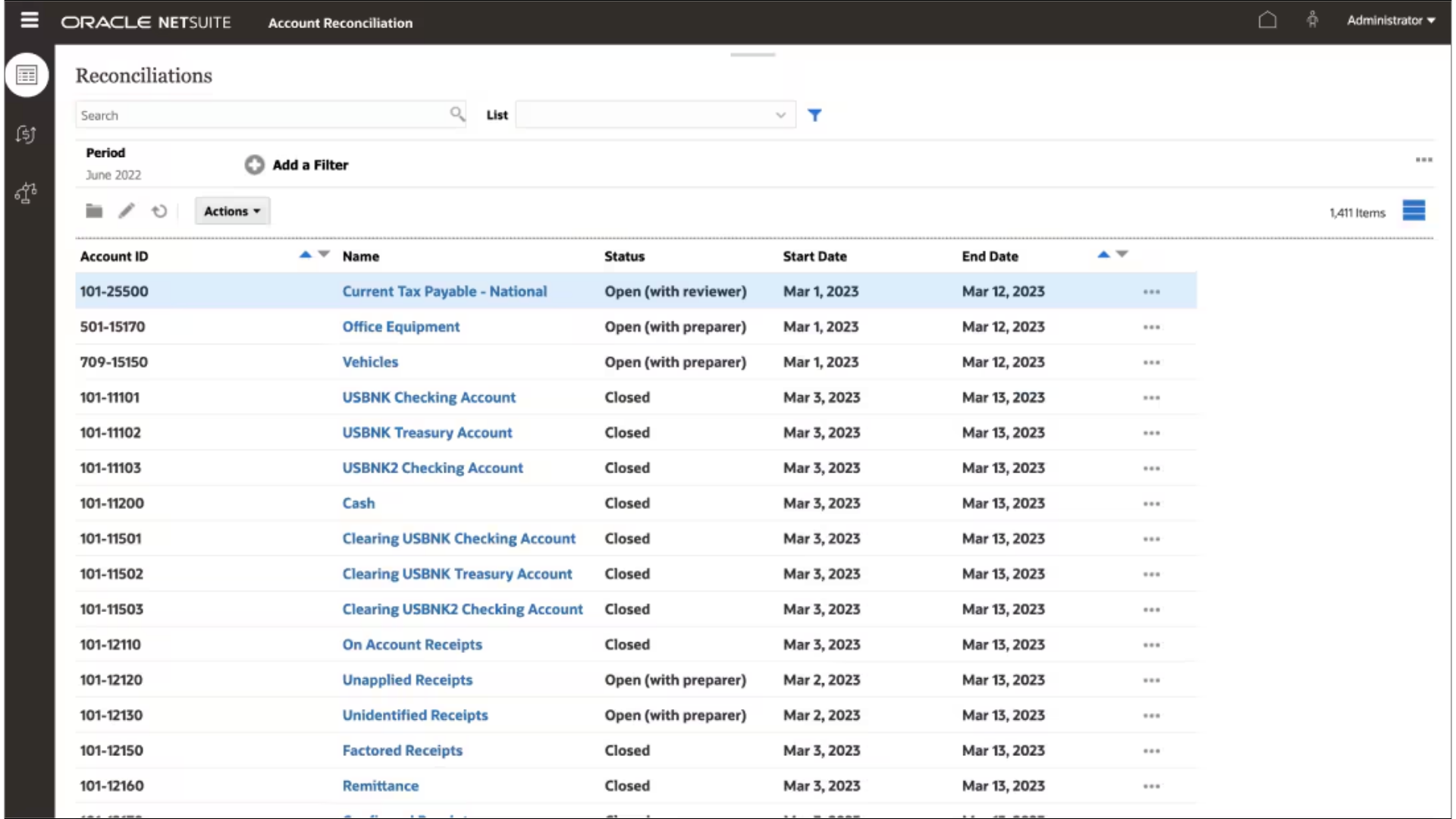
Collection reconciliation
NetSuite Account Reconciliation automates general ledger reconciliations in one workspace: bank reconciliations, credit card matching, intercompany transactions, receivables and payables, and invoice-to-PO matching. Manual ticking and tying falls away, so accountants can focus on exceptions and high-risk reconciliations.
Screenshot: Oracle NetSuite software. Figures are illustrative.
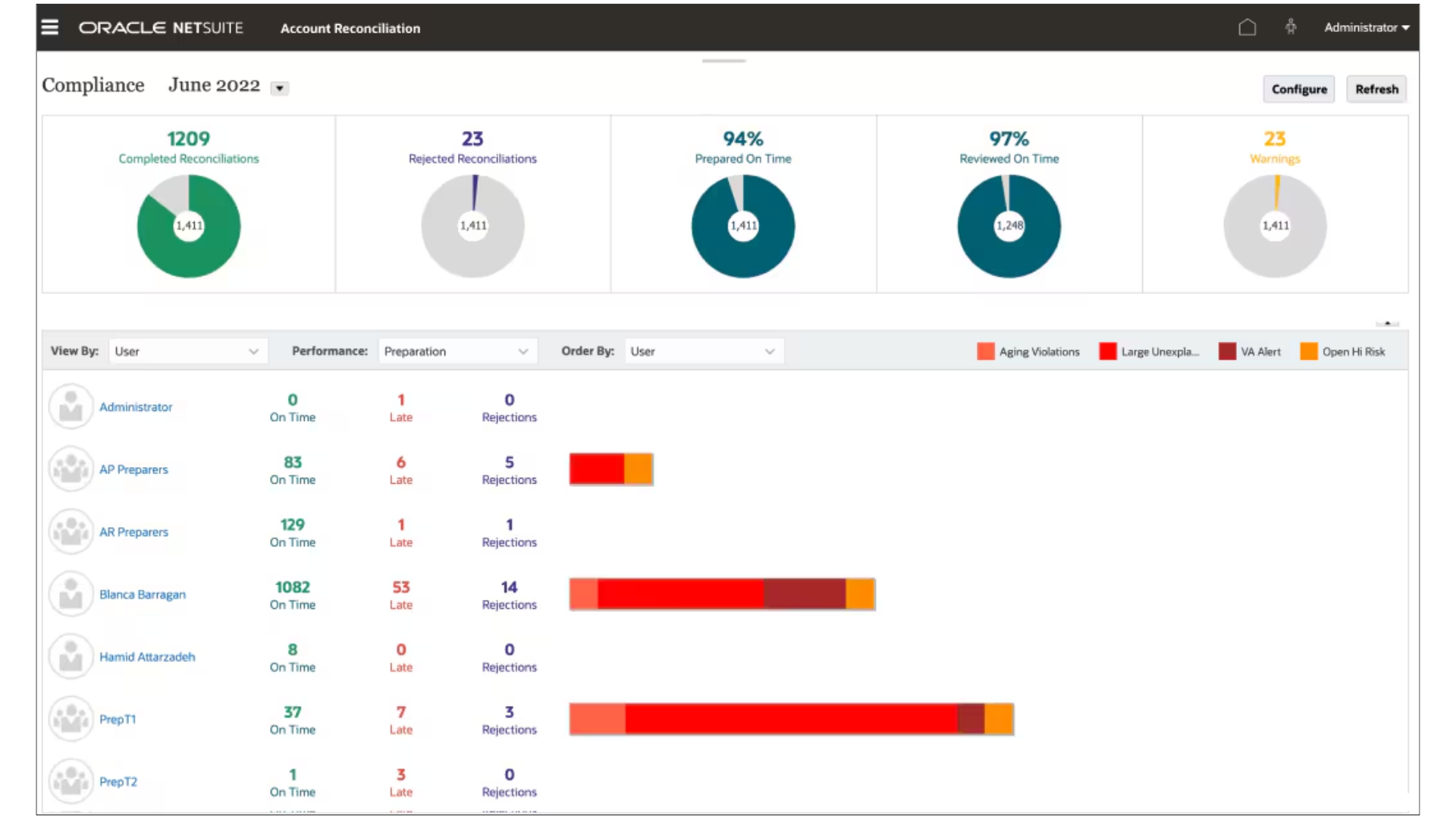
Account reconciliation
Less time is spent downloading data from source systems, compiling it in spreadsheets, checking balances by hand and building matching formulas.
Screenshot: Oracle NetSuite software. Figures are illustrative.
Procure to pay
Procure to Pay
Requisitions, purchase orders, vendor bills and payments, with approvals and matching built in.
Purchase requisitions
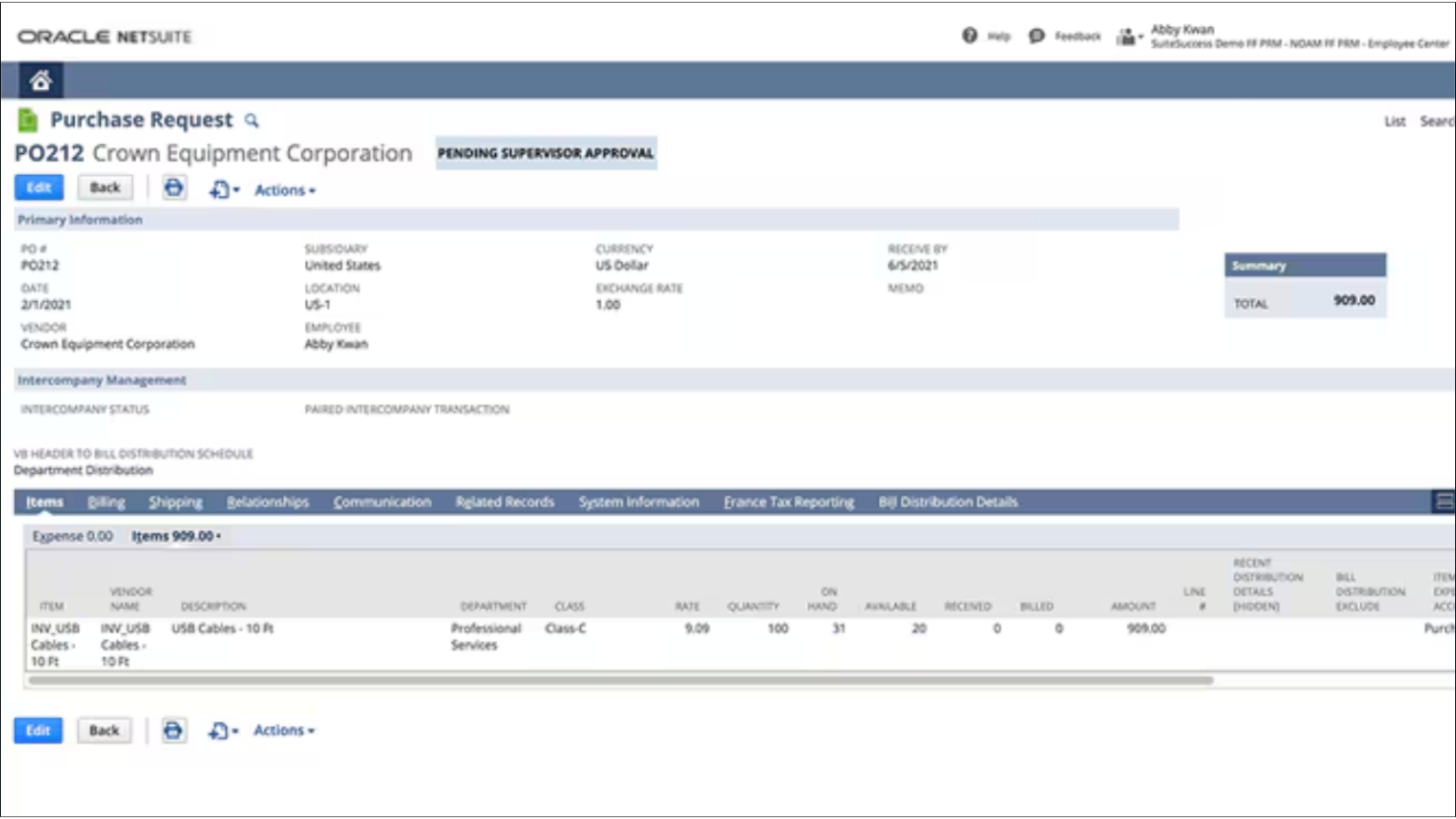
Purchase requests are raised and tracked, routed to the right managers for approval and converted into purchase orders once approved. Vendor invoices are matched to purchase orders and receipts, which prevents overpayments and duplicate payments and reduces the risk of invoice fraud.
Screenshot: Oracle NetSuite software. Figures are illustrative.
Vendor records
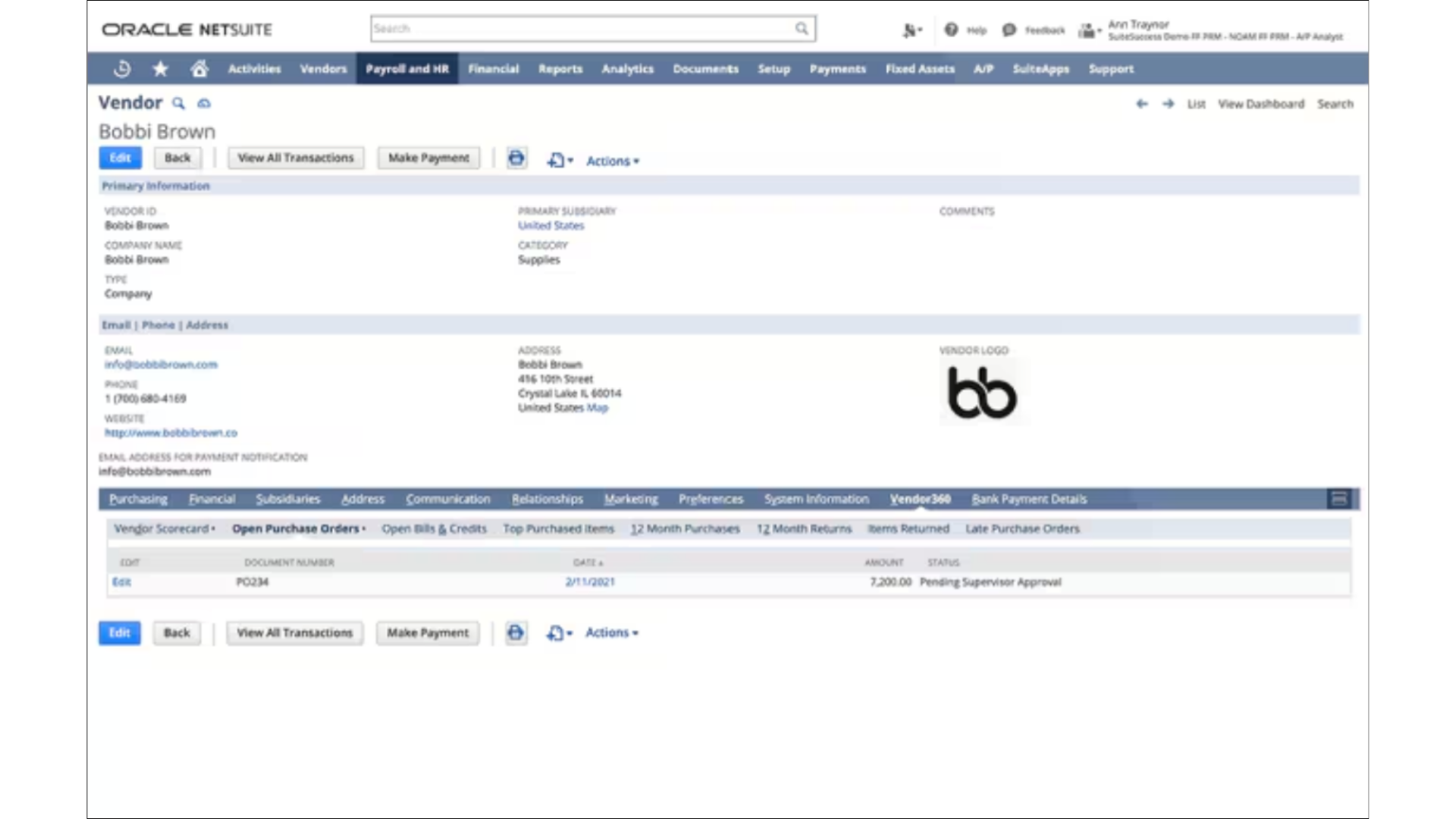
Each supplier record holds contacts, addresses, bank details, purchase orders, past payments and credit memos. Incoming invoices are checked against vendor information to keep payments accurate and on time.
Screenshot: Oracle NetSuite software. Figures are illustrative.
Accounts payable dashboards
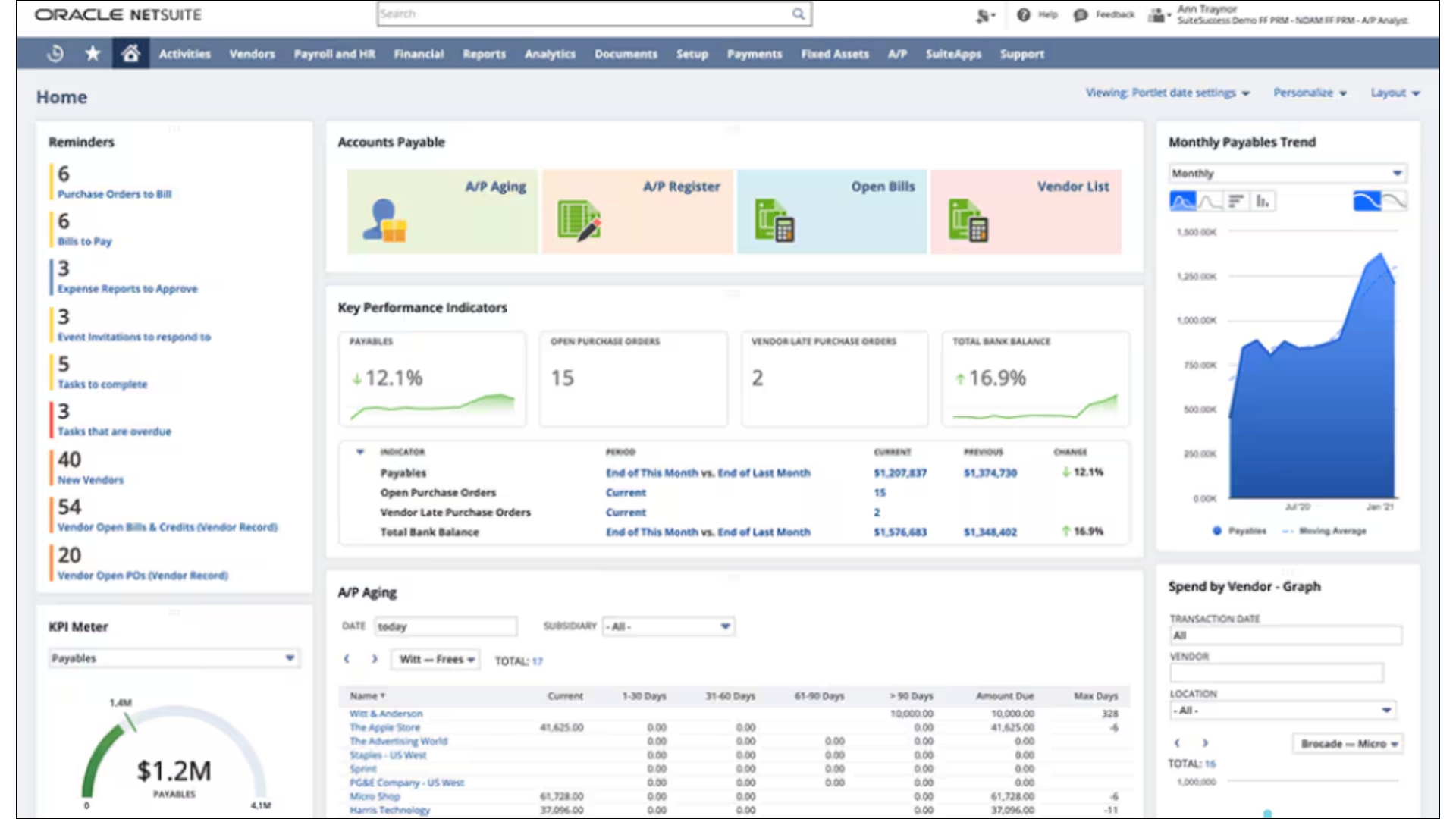
Dashboards, KPIs and alerts track open purchase orders, invoices waiting for approval, due dates and scheduled payments as they change.
Screenshot: Oracle NetSuite software. Figures are illustrative.
Accounts payable aging
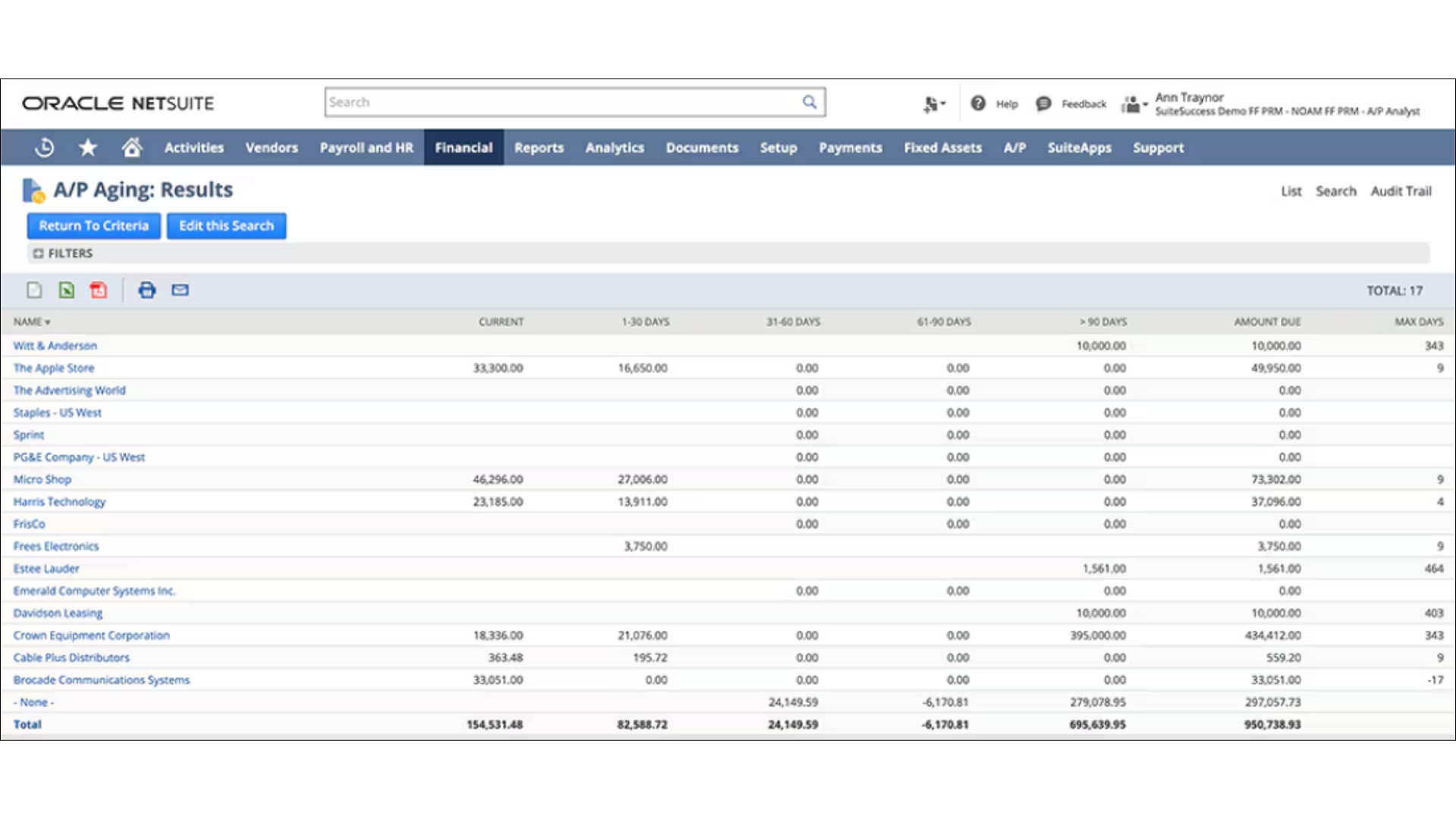
Current payables data is available at any time, including AP aging, check registers, pending invoice approvals and payments in transit.
Screenshot: Oracle NetSuite software. Figures are illustrative.
Invoice capture
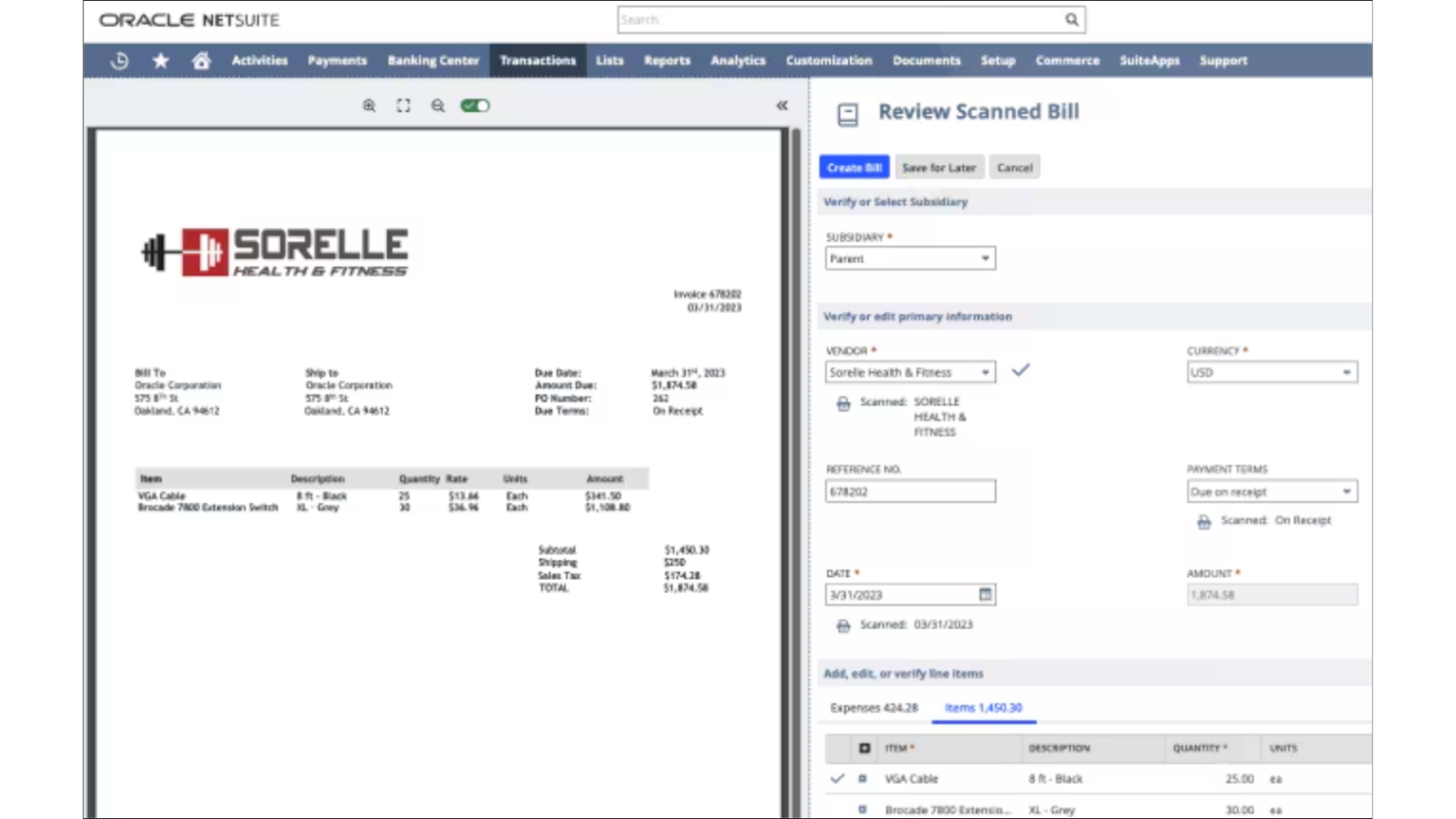
NetSuite Bill Capture uses AI/ML document detection and optical character recognition to read invoice data and import it into NetSuite, faster and with fewer errors than manual entry.
Screenshot: Oracle NetSuite software. Figures are illustrative.
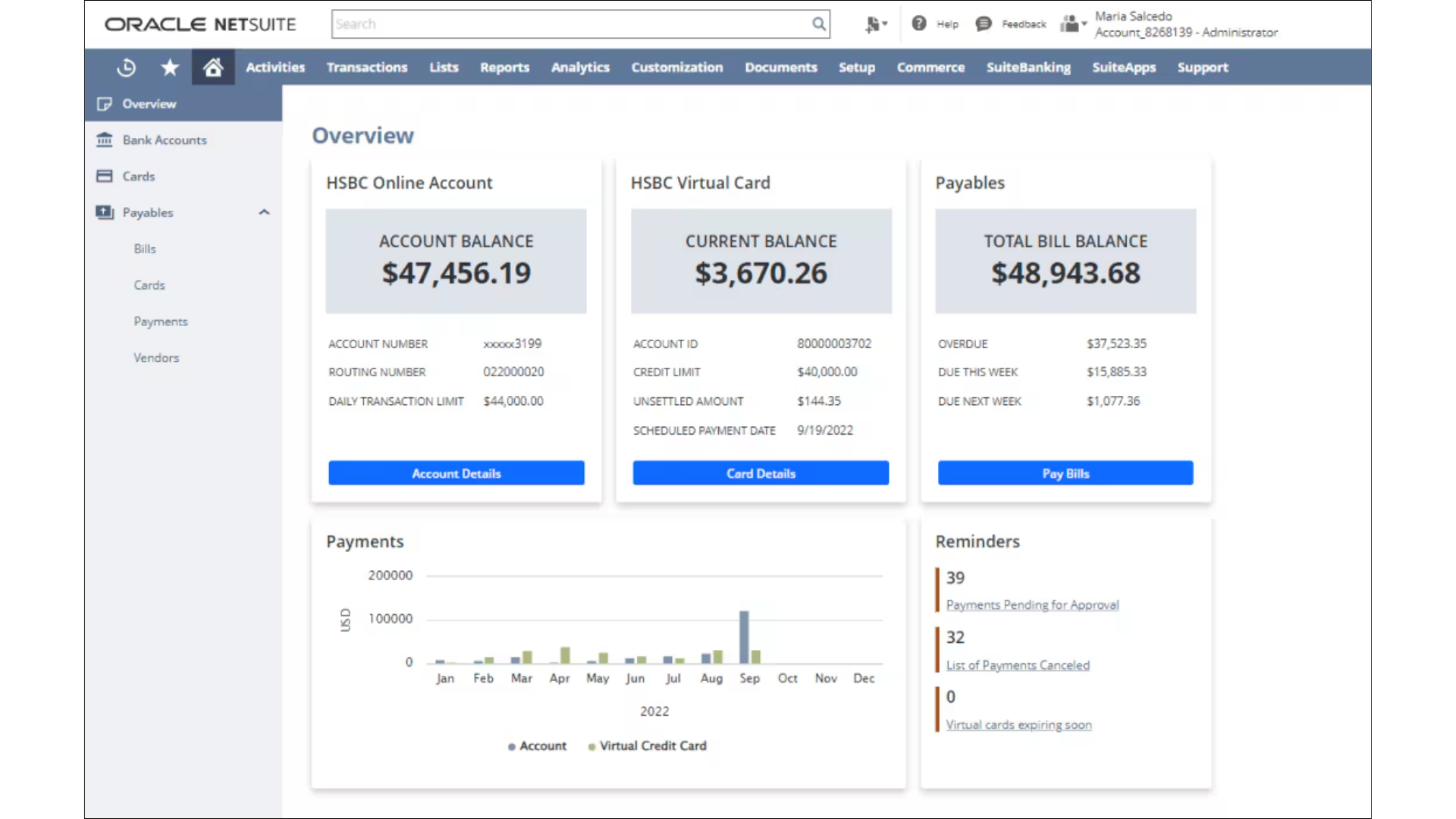
Payment dashboard
The payment dashboard shows the status of vendor bills, so suppliers can be kept informed about upcoming payments.
Screenshot: Oracle NetSuite software. Figures are illustrative.
Tax
Tax Management
Tax calculated on each transaction, with reporting for Indonesia and other jurisdictions.
SuiteTax
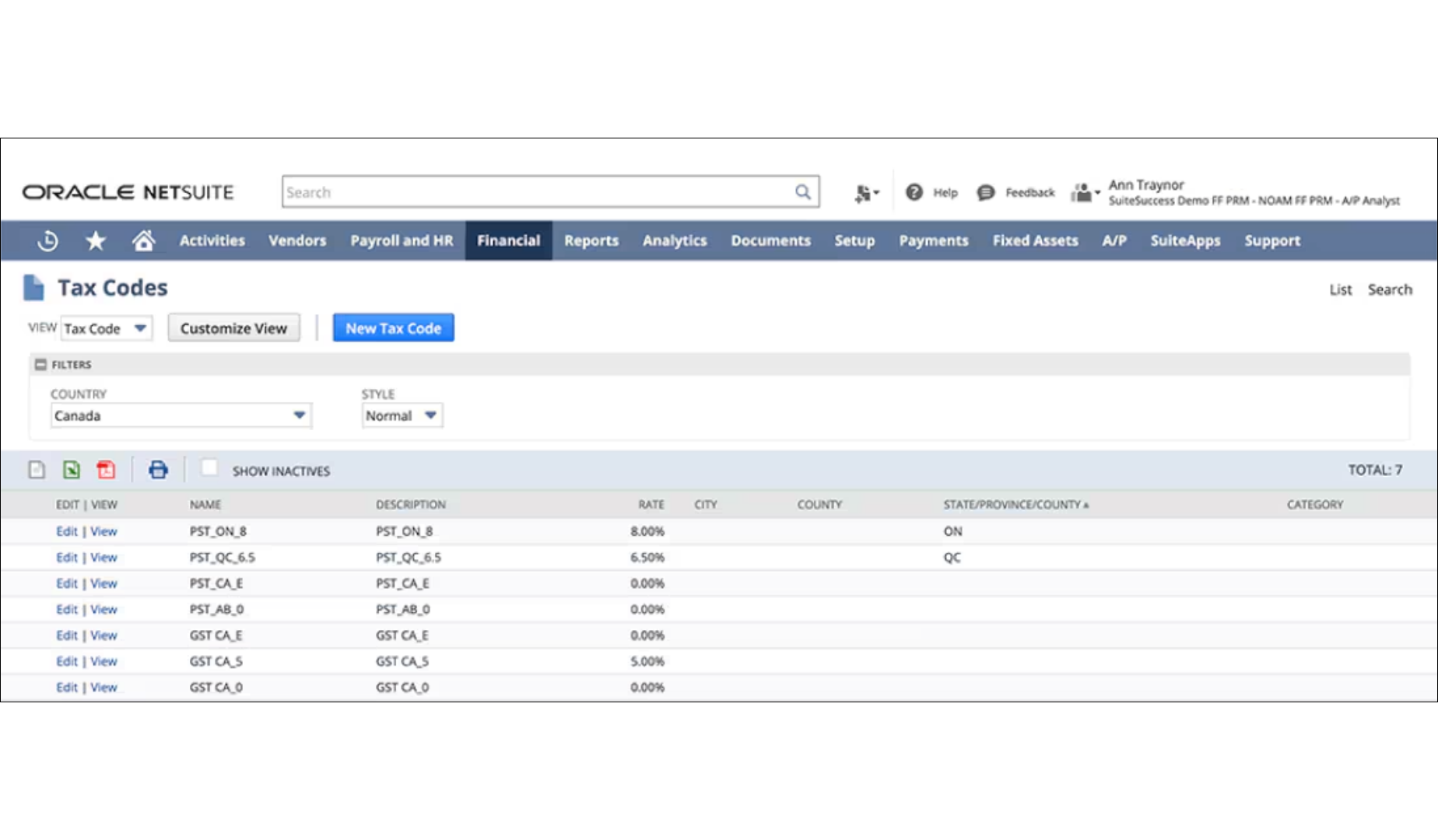
SuiteTax is a configurable tax engine that automates tax calculation and compliance across jurisdictions and gives finance teams detailed tax reports.
Screenshot: Oracle NetSuite software. Figures are illustrative.
Indonesia VAT automation
NetSuite's tax logic assesses taxability and calculates tax on every transaction and item within the Indonesian tax jurisdiction, so the calculation is not done by hand. Customer and vendor VAT registration numbers are verified to keep tax on goods and services accurate.
Screenshot: Oracle NetSuite software. Figures are illustrative.
Fiscal depreciation
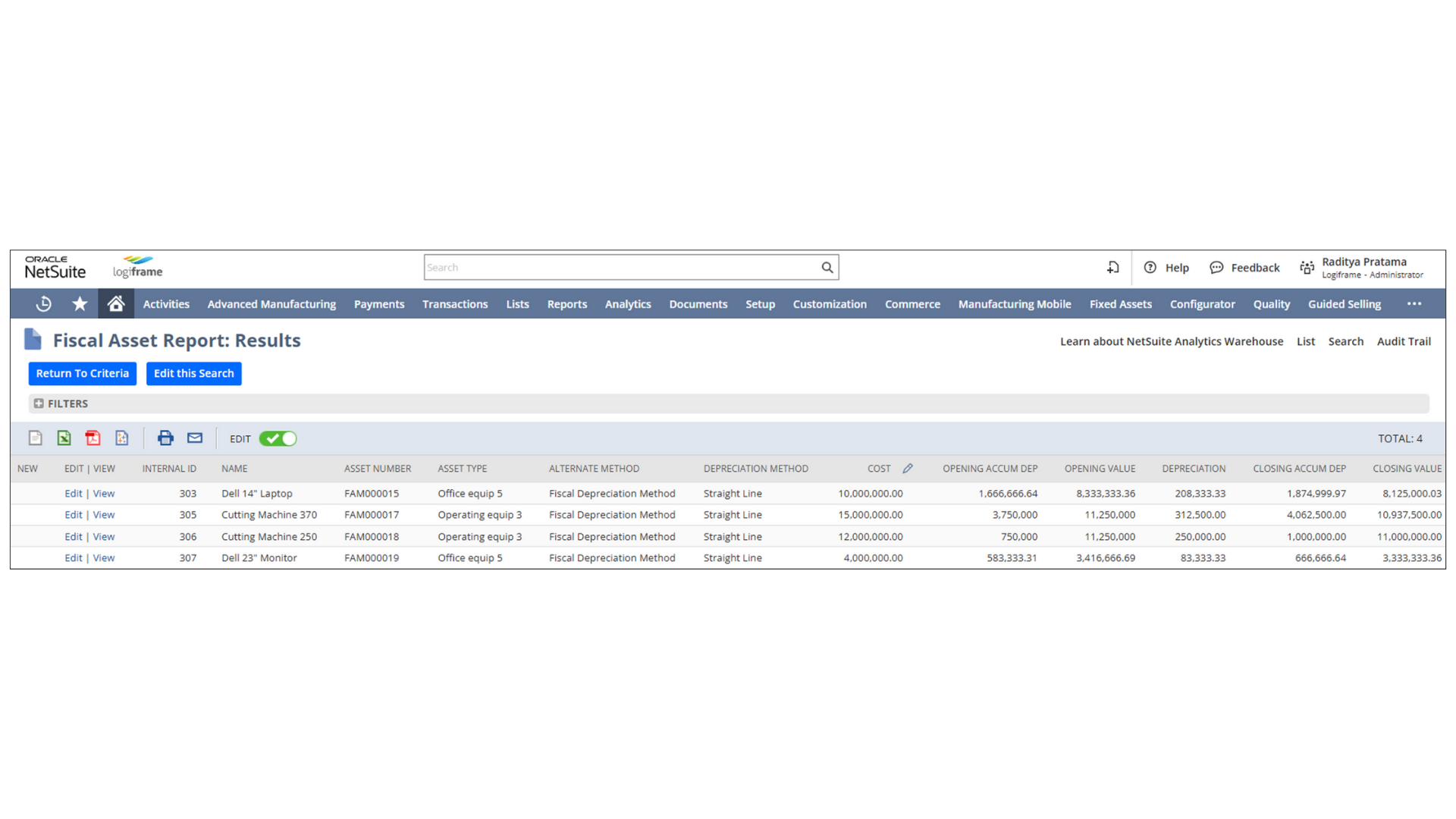
NetSuite can run fiscal depreciation on assets to calculate timing differences for corporate income tax, keeping an audit trail for both financial and tax reporting.
Screenshot: Oracle NetSuite software. Figures are illustrative.
NetSuite calculates and reports tax; preparing and filing the returns is separate work. Logiframe prepares and files PPN and PPh returns through our Tax Outsourcing service.
Planning
NetSuite Planning and Budgeting
Budgets, forecasts and scenarios built on the same data as the ledger.
Planning and budgeting
NetSuite Planning and Budgeting automates planning processes and data analysis, so the finance team spends its time on analysis rather than assembling numbers.
Screenshot: Oracle NetSuite software. Figures are illustrative.
Data visibility
Data is entered in one place, giving one agreed version of the figures. Changes flow through to reports and dashboards automatically.
Screenshot: Oracle NetSuite software. Figures are illustrative.
Budgeting and forecasting
Prebuilt workflows and templates automate budgeting and keep forecasts current.
Screenshot: Oracle NetSuite software. Figures are illustrative.
Scenario planning and modelling
Scenarios can be modelled across dimensions such as location and product, without the formula errors of spreadsheet models.
Screenshot: Oracle NetSuite software. Figures are illustrative.
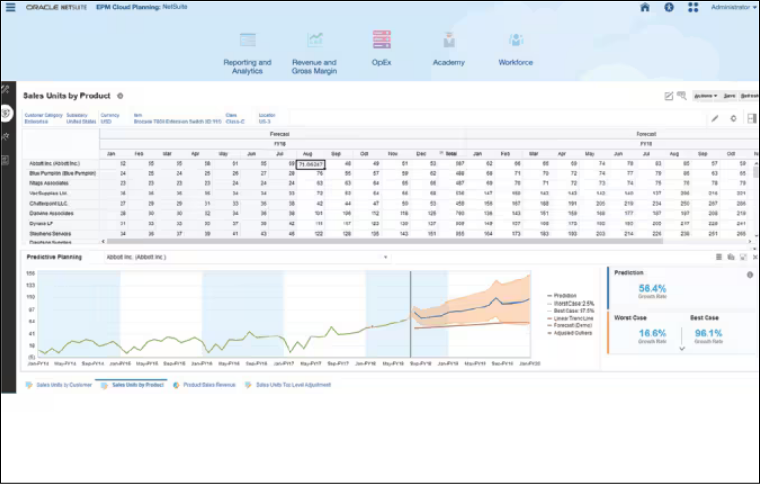
AI-assisted predictive planning
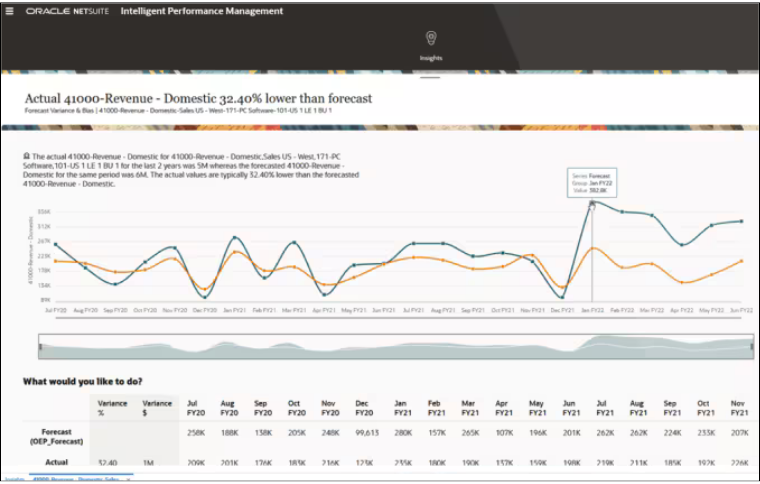
Intelligent Performance Management uses AI to analyse data and highlight trends and anomalies, with predictive forecasts that shorten analysis time.
Screenshot: Oracle NetSuite software. Figures are illustrative.
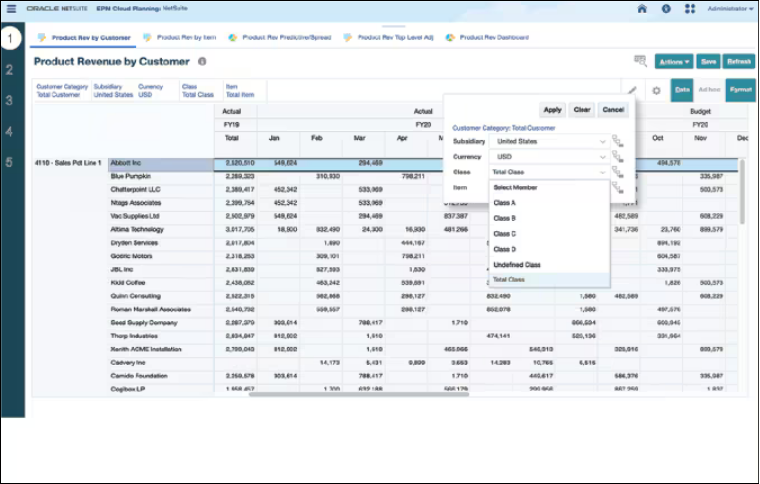
Revenue planning
Revenue and sales forecasts are aligned with company targets, shared with the teams involved and tracked against results.
Screenshot: Oracle NetSuite software. Figures are illustrative.
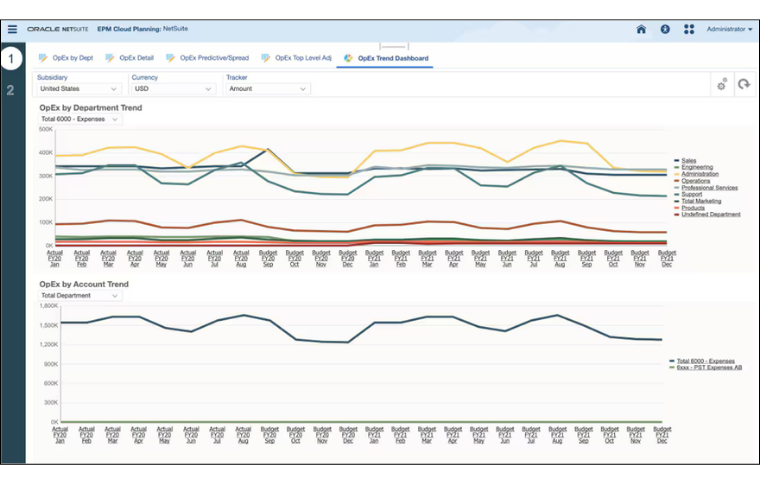
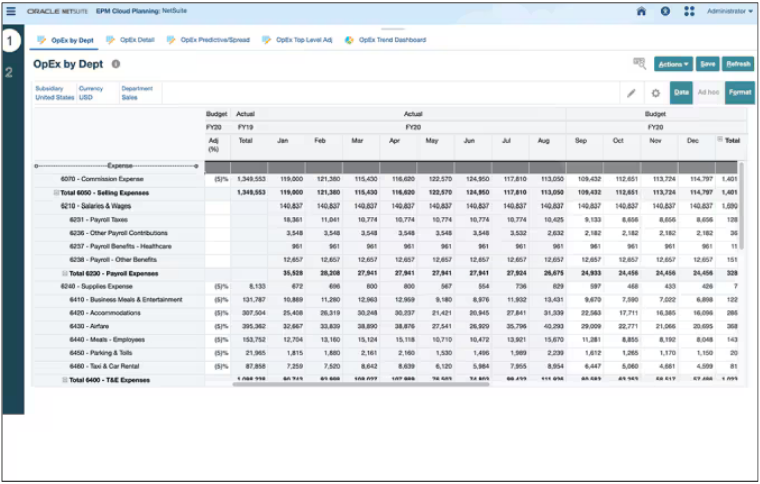
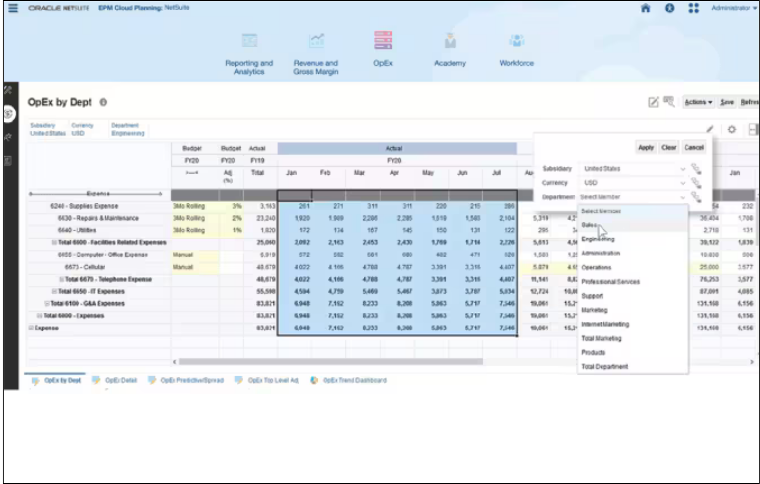
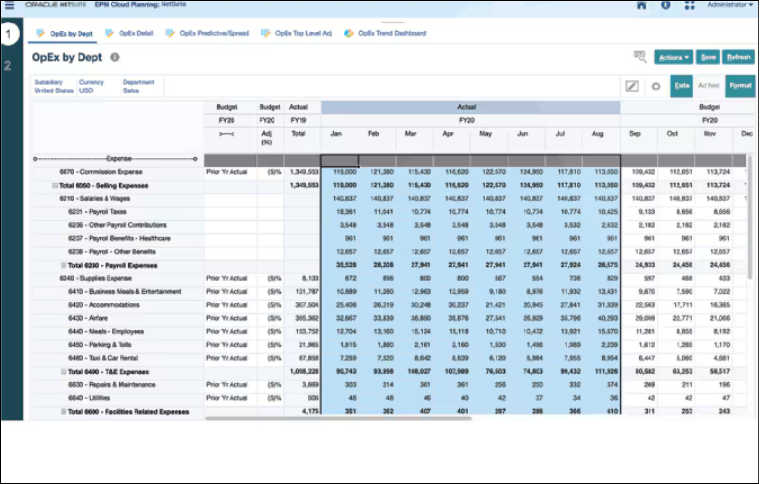
Operating expense planning
Driver-based planning links operational assumptions to financial results and supports planning at both corporate and business-unit level.
Screenshot: Oracle NetSuite software. Figures are illustrative.
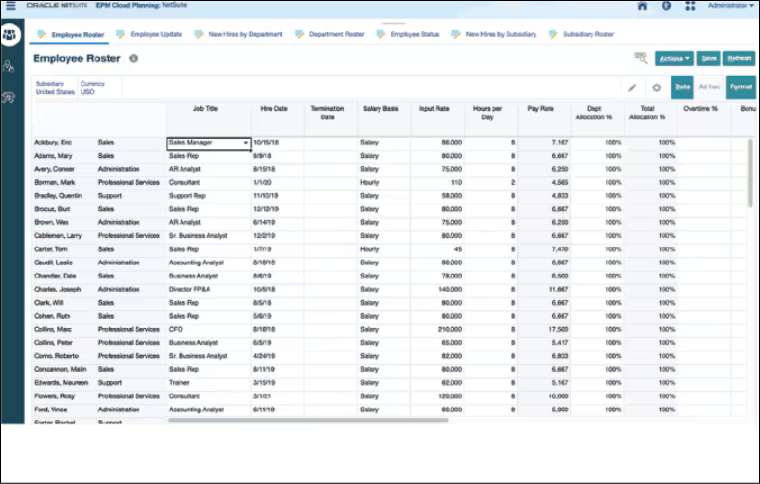
Workforce planning
Headcount, salary and compensation planning are handled together, matching the organisation's priorities with its workforce.
Screenshot: Oracle NetSuite software. Figures are illustrative.
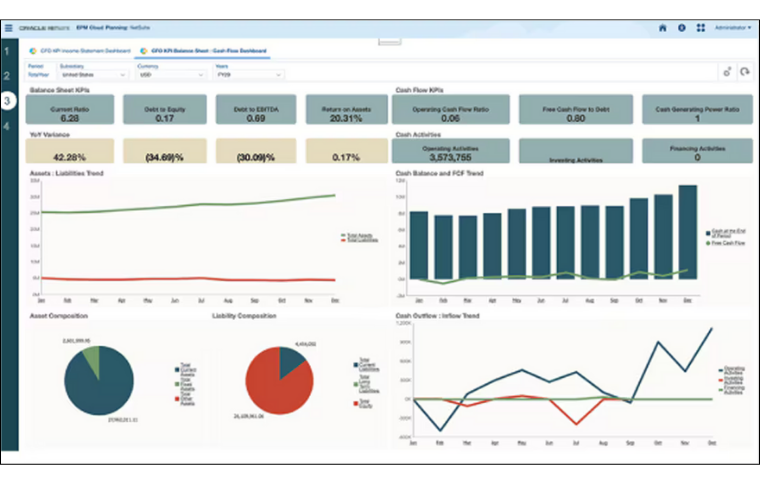
Trended financials
Integrated statements connect the income statement, balance sheet and cash flow statement, support both cash flow methods and can reflect industry-specific requirements.
Screenshot: Oracle NetSuite software. Figures are illustrative.
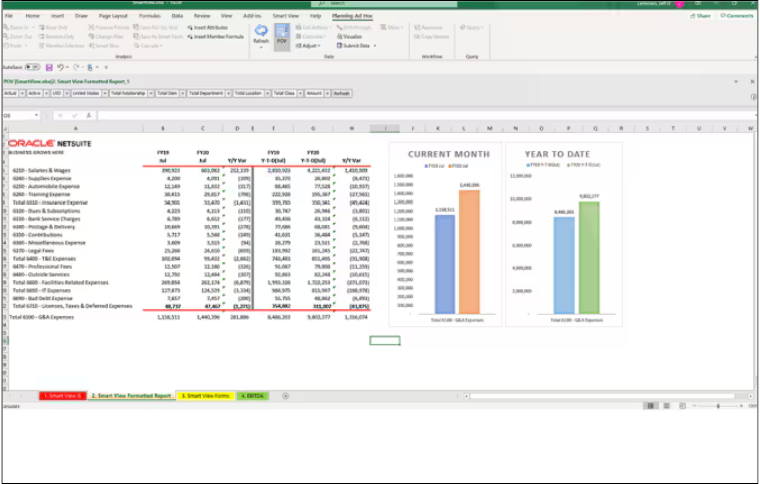
Microsoft Office integration
Smart View for Office connects NetSuite Planning and Budgeting with Microsoft Office, so users can run what-if analysis and build data grids in Excel, including planning actions such as spreading and allocation.
Screenshot: Oracle NetSuite software. Figures are illustrative.
Next steps
Working with Logiframe on NetSuite
Logiframe sets up NetSuite financial management around your processes and supports it after go-live. Tell us how your finance function runs today and we will explain how NetSuite would fit.
Talk to us about your finance processes and the reporting you need. We will explain how NetSuite can be set up for your business and what the project involves.