
Accounts payable in QuickBooks

Know what you owe, and who approved it.

Bills arrive by email, on paper and through vendor portals. We get every one into QuickBooks with the right vendor, category and due date, route it for approval, prepare the payment run, and reconcile vendor statements. You approve the spend and release the payments.

The cycle

Five Parts of the Payables Cycle

  • Bill capture and coding. Every bill entered as a bill in QuickBooks, coded to the right account, class or location, with the document attached.
  • Approval. Bills routed to the right approver before they are scheduled, so no spend is paid without a named person signing off.
  • Payment runs. A weekly or twice-monthly run prepared from the unpaid bills list, by due date and cash position, for you to release.
  • Vendor statements. Statements agreed to the A/P aging, so missing bills, duplicates and unapplied credits are caught.
  • Vendor records and 1099s. W-9 status tracked on each contractor and payments categorized so year-end 1099 data is ready.
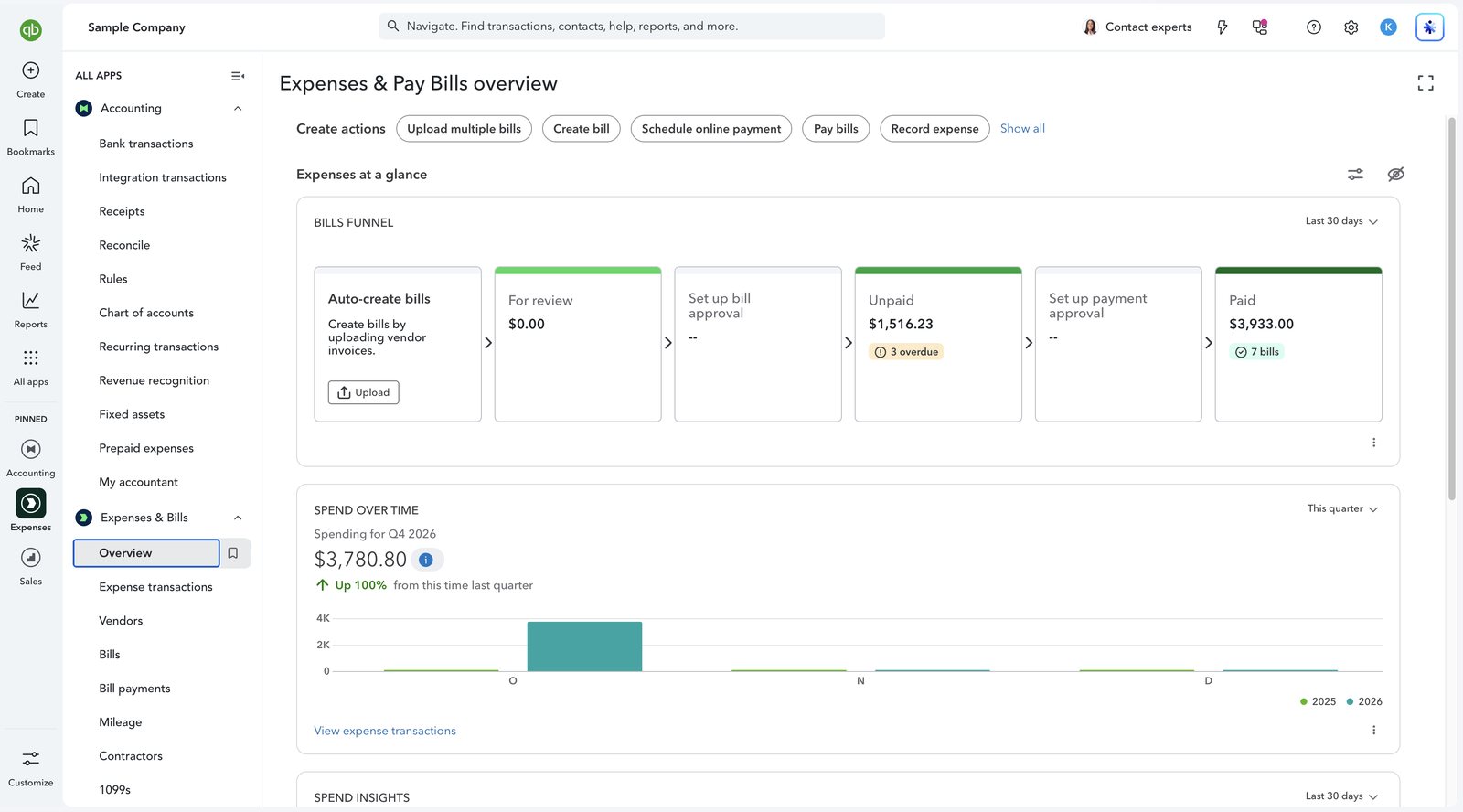
QuickBooks Online Expenses and Pay Bills overview with the bills funnel
Screenshot: the Expenses & Pay Bills overview in QuickBooks Online. The bills funnel shows what is waiting for review, what is unpaid and overdue, and what has been paid. This is QuickBooks software, not a Logiframe product, shown on Intuit’s sample company, and the figures are illustrative. QuickBooks is a trademark of Intuit Inc.

Controls

Who Does What, and Why We Do Not Hold the Keys

We prepare. You approve and release. That split is the control.

StepLogiframeYou
Vendor setupCreate and maintain recordsConfirm new vendors
Bank detail changesFlag every change requestVerify by phone with the vendor
Bill entry and codingEnter, code and attachAnswer coding questions
Bill approvalRoute to the approverApprove or reject
Payment runPrepare the listRelease from your bank or QuickBooks
ReconciliationAgree statements and the agingReview exceptions

We hold no authority to move money. Where we have bank feed access, it is read-only.

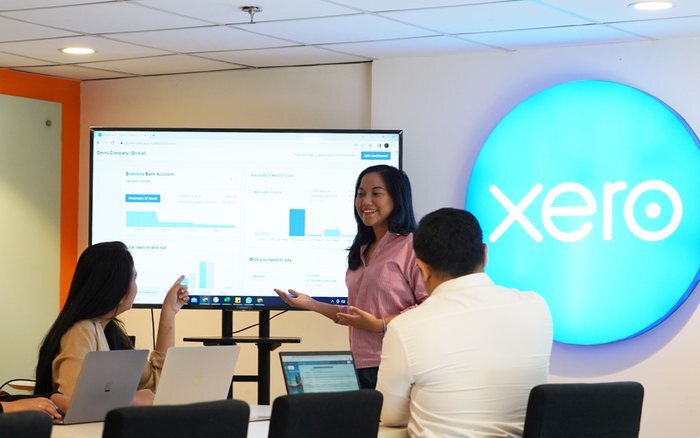
Logiframe team members working at laptops around a shared table.

Features

QuickBooks Features That Carry Payables

  • Bills and the unpaid bills list. Due dates and open balances in one place, so payments are matched to bills rather than entered again as expenses.
  • Bill approval. Where your plan includes it, bills wait for approval before they can be paid.
  • Pay bills and online bill payments. Payment runs scheduled from the bills themselves, so each bill closes when it is paid.
  • Purchase orders. On plans that include them, bills are checked against what was ordered.
  • Contractors and 1099s. W-9 status and payments tracked per contractor, and 1099s prepared from the same records.
  • A/P aging. Tied to the balance sheet every month, so the payables figure can be trusted.
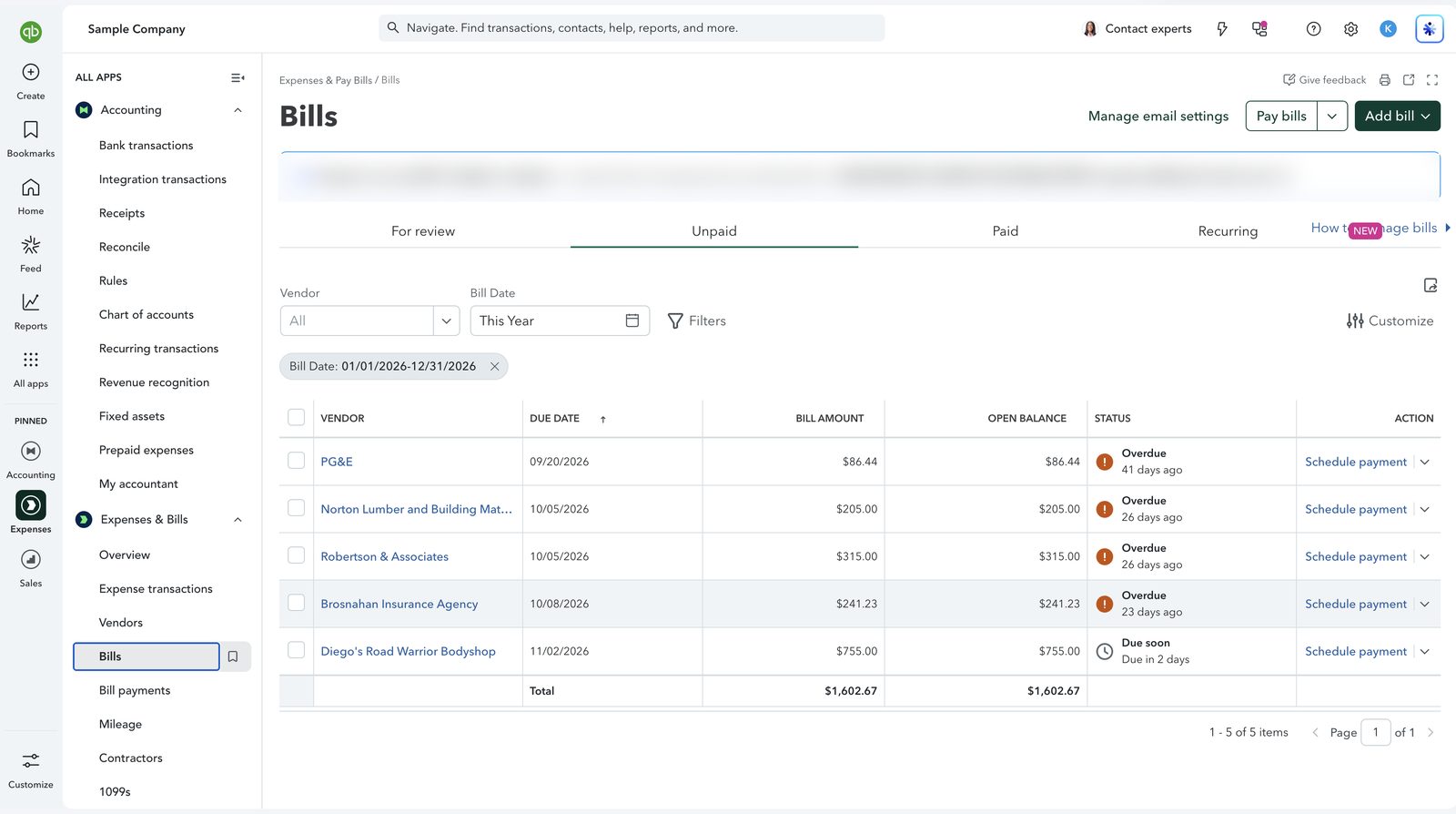
QuickBooks Online unpaid bills with overdue status and a total
Screenshot: unpaid bills in QuickBooks Online, with due dates, open balances and overdue status. Bank payments are matched to these bills rather than entered again as new expenses. This is QuickBooks software, not a Logiframe product, shown on Intuit’s sample company, and the figures are illustrative. QuickBooks is a trademark of Intuit Inc.

Pricing

How It Is Priced

AP management is an add-on to a QuickBooks bookkeeping package.

PackagePriceWhat it covers
AP managementFrom $100/monthThe payables cycle above, added to bookkeeping
Monthly bookkeepingFrom $399/monthThe ledger, reconciliations and close that AP depends on
Weekly bookkeepingFrom $599/monthThe same cycle, worked every week

We do not offer AP on its own, because managing payables properly needs the ledger and the bank reconciliation in the same hands.

Questions

QuickBooks Accounts Payable, Answered

What does an outsourced accounts payable service do in QuickBooks?
It captures and codes every bill, routes bills for approval, prepares payment runs for you to release, reconciles vendor statements to the A/P aging and keeps vendor and 1099 records clean.
Will you have access to our bank accounts?
Only read-only bank feed access, if you use feeds. We cannot move money. Payment runs are prepared by us and released by you.
How do you prevent duplicate payments?
By using one capture route for bills, matching bank payments to existing bills instead of adding new expenses, routing bills for approval, and reconciling vendor statements each month.
What happens if a vendor asks to change their bank details?
We flag it to you and do not update the record until you have confirmed the change with the vendor using contact details you already hold. Changed bank details are a common route for fraud.
Can you help with 1099s?
We keep W-9 status and contractor payments organized in QuickBooks so 1099 data is ready at year end. Filing sits with you or your CPA.
How much does QuickBooks accounts payable management cost?
AP management starts from $100/month as an add-on to a bookkeeping package, which starts from $399/month.
QuickBooks ProAdvisor, Elite A team certified in QuickBooks Online, Intuit Enterprise Suite and Workforce.
Xero Gold Partner Certified advisors, with Xero as the platform our depth genuinely sits in.
13+ years in practice Across accounting outsourcing, ERP and accounting software work.

Find out what is sitting in your payables.

Tell us which QuickBooks you are on and how bills reach you today.

Book a free 30-minute call See packages & pricing